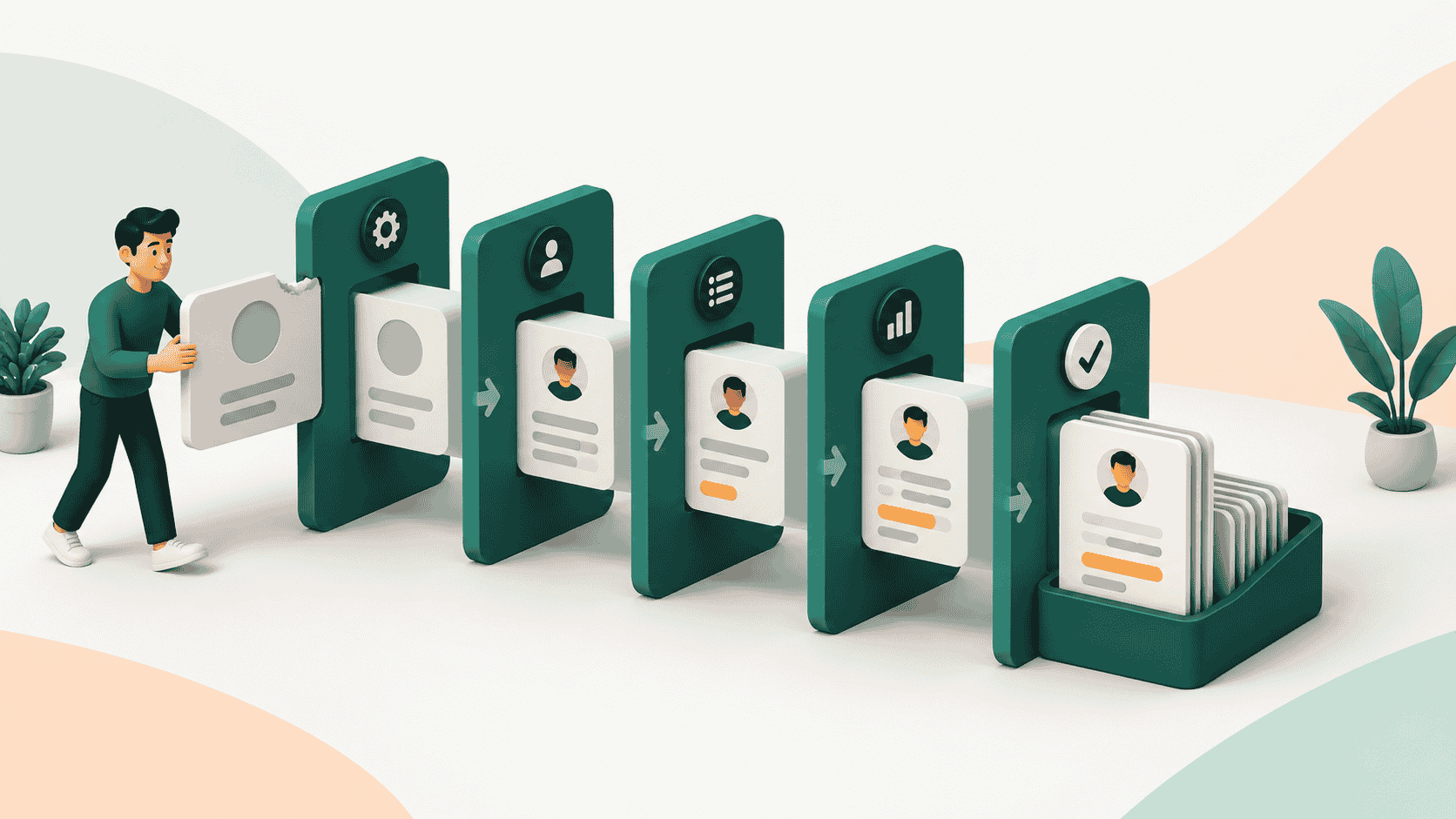

Ask a sales rep what they want to do after a great customer call.
Nobody says, “I can't wait to update Salesforce.” They want to call the next prospect, follow up with the buyer, move the deal forward, and close it.
But CRM sits between the conversation and the next action. You sell and then stop to update the CRM and then rinse and repeat.
That sounds harmless until you multiply it across every rep, every call, every deal, every day.
Eventually, reps find shortcuts. Notes live in Slack, follow-ups live in inboxes, and deal context lives in someone's head. The CRM becomes the place where information is supposed to live, rather than the place where it actually lives. The problem is that the system asks sellers to maintain it.
TL;DR
- Sales reps don't hate CRM itself. They hate the manual work required to maintain it.
- Data entry, too many fields, and context switching take reps away from the selling work they actually care about.
- Delayed updates create stale data, which makes reps lose trust in the CRM and rely on shadow systems instead.
- More training and stricter CRM rules don't fix the root problem. The better answer is to remove unnecessary maintenance work.
- A zero-touch CRM changes the model: the system maintains the record and gives reps useful intelligence, so they can focus on selling.
Why Do Sales Reps Hate CRM?
Sales reps tend to resist CRM when maintaining it feels like administrative work rather than part of selling. The recurring problems are manual data entry, context switching, excessive fields, memory decay, stale information, and a CRM that feels more useful to management than to the person selling.
1. CRM feels like it was built for managers, not sellers
A sales leader looks at a CRM and sees pipeline visibility, forecasting, accountability, reporting, and a source of truth. They also struggles because they can't find all the data at one place. They have to reach out to the sales rep for updates. So, an information which was supposed to be given in a second, takes them hours.
A sales rep can see something very different: more fields to fill, more activity to log, more information to maintain, and another system that needs attention.
That creates a perception gap.
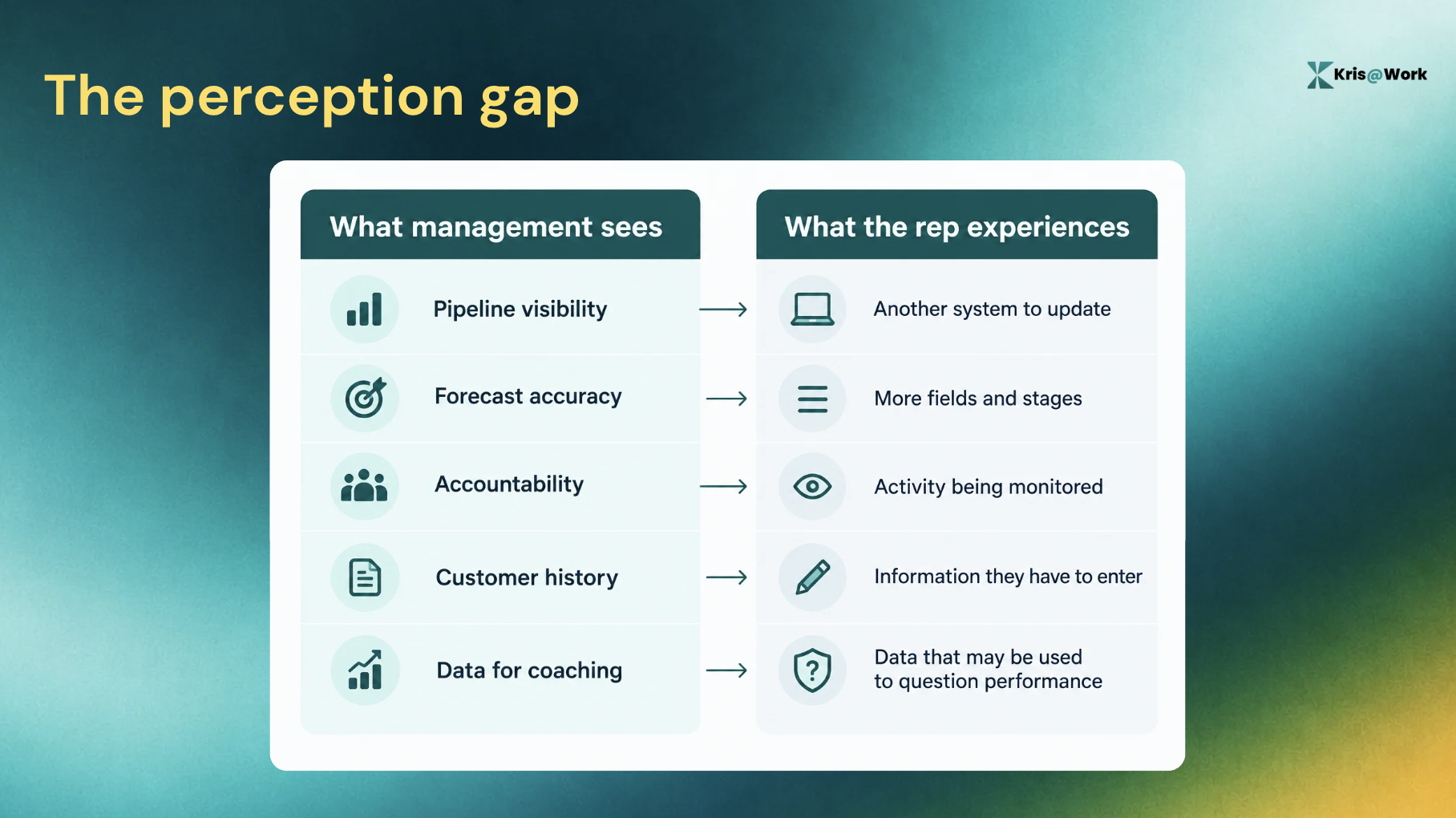
It’s not that sales reps don't understand why the business needs data. They do. The problem is that the business receives the immediate benefit while the rep absorbs much of the administrative cost.
If the CRM primarily gives value to management while taking time from reps, adoption will always require some level of enforcement.
2. Data entry takes reps away from selling
Consider what happens after a discovery call.
The rep has just spent 30 minutes learning about the customer's priorities, objections, stakeholders, and buying process. The natural next step is to follow up while the conversation is fresh.
Instead, the rep opens the CRM. Now they have to find the opportunity, write notes, update fields, change the stage, record the next step, and perhaps create a task.
None of those actions are necessarily difficult. The problem is that they interrupt the actual sales workflow.
Every time a rep moves from a customer conversation into CRM administration, they have to switch context. And that happens repeatedly throughout the day.
In fact, 72% of rep time being spent on non-selling tasks, based on Salesforce, Forrester, and McKinsey research. The issue is therefore bigger than whether a CRM update takes two minutes or ten. Every manual update is another reason the system competes with selling time.
3. Too many fields turn CRM updates into paperwork
CRMs tend to accumulate fields over time.
A field gets added for a report. Another gets added for qualification. Another gets added because one team needs a particular view. Eventually, a rep can open an opportunity and face a long list of things the system expects them to know and enter.
And the structured data is valuable, but the question is who should be responsible for producing it.
If the rep has to manually convert every conversation into database fields, the CRM is transferring its maintenance cost to the seller. A good CRM should reduce cognitive load for the rep, not turn the rep into a database administrator.
.png)
4. CRM depends on reps remembering what happened
A rep finishes a call and moves to another call. Then another, then an email, and then a demo. By the time they get around to updating the CRM, they're reconstructing a conversation from memory.
What was the customer's exact concern? Who mentioned budget? Did the timeline change? Which stakeholder was involved? What did they agree to do next?
The more time that passes between the interaction and the CRM update, the more likely important context is to be missed. A system of record that depends on perfect human memory will always be incomplete.
The problem here is that the workflow is asking humans to act as data capture systems after they've already moved on to the next task.
5. "I'll update it later" turns into stale CRM data
This is one of the most predictable CRM adoption patterns.
- Call ends: "I'll update it later."
- Another call starts: "I'll do it this afternoon."
- End of day: "I'll clean it up tomorrow."
- End of week: The record is still incomplete.
The problem isn't necessarily that reps deliberately want bad data. CRM updates are simply easy to defer because there is always another customer-facing task on priority.
That creates a damaging loop of:
Manual updates → delayed updates → stale data → less trust → less CRM usage → even worse data
At that point, the CRM isn't reflecting the current state of the business - it’s reflecting the last time someone remembered to update it.
6. Reps stop trusting a CRM they know is stale
This is where the adoption problem becomes self-reinforcing. If a rep opens a customer record and finds outdated information, missing context, or a deal stage that doesn't reflect reality, they learn something important:
Don't trust the CRM completely.
So they keep information elsewhere like in their inbox, their notes, maybe a spreadsheet, Slack, their memory, or even another tool.
The CRM becomes a place they update because they're expected to, rather than the place they go when they actually need to know something.
That creates a vicious cycle:
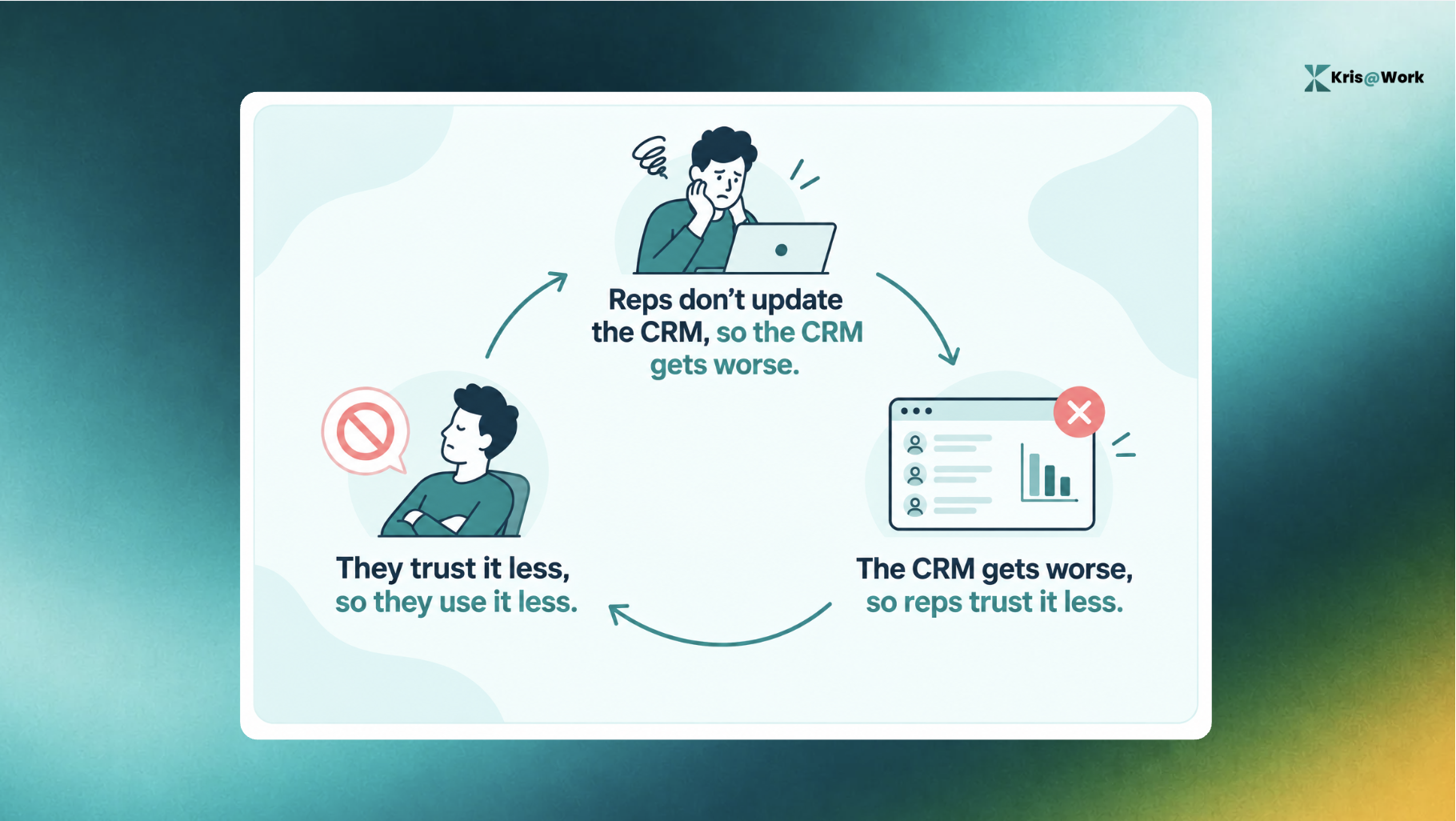
That's why CRM adoption become a trust problem and not just a compliance one.
What Happens When Sales Reps Don't Use the CRM?
When CRM adoption breaks down, the consequences extend far beyond incomplete fields.
- Pipeline becomes less trustworthy: If deal stages, next steps, and customer context are outdated, leadership is looking at a version of the pipeline that may no longer match reality.
- Forecasting becomes harder: A forecast is only as useful as the information underneath it. Stale deal data makes it harder to understand which opportunities are actually progressing and which ones are quietly slipping.
- Managers coach from incomplete information: Managers can see activity, but activity doesn't necessarily explain what happened in the customer conversation or why a deal is moving or stalling.
- Handoffs lose context: When information doesn't make it into the system, the next person inherits an incomplete record. They have to ask questions the previous rep or customer may have already answered.
- Teams build shadow systems: Once reps stop trusting the CRM, other systems become the source of truth. And now the business has not one system of record, but several unofficial ones.
Why Traditional CRM Adoption Tactics Don't (or Won’t) Work
When CRM adoption is poor, the default response is usually to ask reps to do better.
That leads to more training, reminders, audits, why, because of management pressure.
Sometimes those interventions are appropriate. If people genuinely don't understand the process, training matters. If a CRM is badly configured, cleaning up the fields matters too.
But those fixes can't eliminate a structural problem: The rep still has to maintain the system.
More training doesn't remove the work
If the problem is manual maintenance, training teaches reps how to maintain the CRM. It doesn't make maintenance part of their core job.
If reps already know they're supposed to update the CRM, teaching them the process again doesn't remove the friction that caused them to postpone the update in the first place.
Required fields create compliance, not necessarily adoption
Required fields can force a rep to enter something. That doesn't mean the rep trusts the information, finds the process useful, or will add more context than necessary.
You can increase the percentage of completed fields without making the CRM something reps actually want to use.
CRM hygiene days treat the symptom
A weekly cleanup can make the CRM look better temporarily. But if the system becomes stale again every time reps get busy, the underlying problem remains.
You're cleaning the database because the workflow is producing bad data. A better solution is to change the workflow itself.
How to Fix it With Kris@Work?
The easiest way to understand a zero-touch AI CRM like Kris is to stop looking at it from the manager's perspective.
Ask what changes for the person who has to sell all day.
"I don't have to stop selling to update the CRM."
A rep finishes a customer conversation. Instead of immediately switching into database-maintenance mode, the system can maintain the record from the evidence of what happened. The rep can move to the next customer.
Problem removed: Manual data entry and context switching.
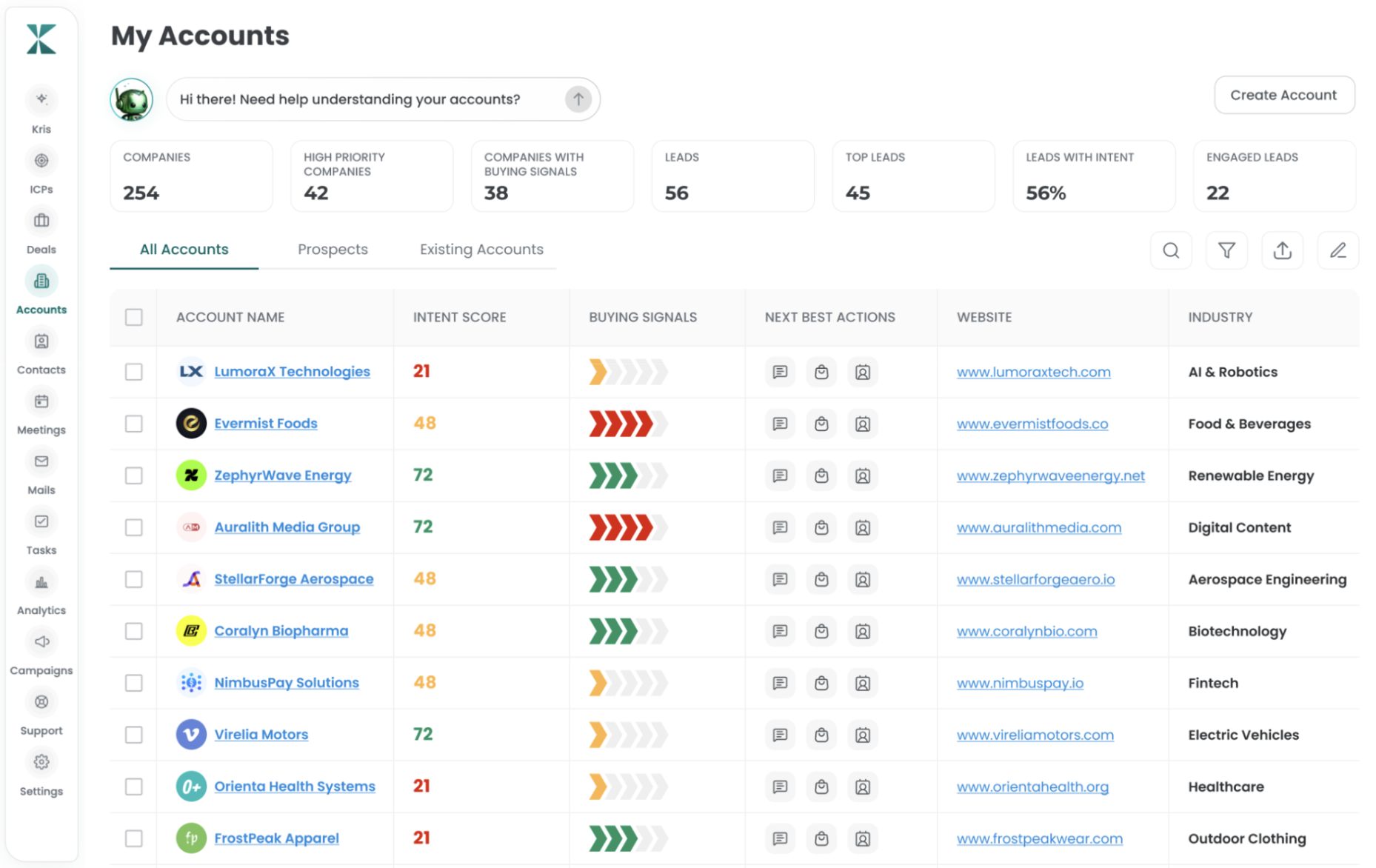
"I don't have to remember everything."
The rep shouldn't have to reconstruct an important customer conversation hours later just to make the CRM accurate.
A system that maintains the record from evidence reduces the amount of information the rep has to remember and manually translate into fields.
Kris AI CRM's evidence-based stage transitions and auto-disposition are built around this model.
Problem removed: Memory decay and the "I'll update it later" trap.
"I don't have to wonder whether the customer record is already outdated."
People often change roles, companies, and contacts. The record should be able to keep up. Kris AI CRM supports self-enrichment and change detection for titles, firmographics, and contacts.
Problem removed: Stale information.
"I don't have to dig through fields to figure out what's happening."
The rep should be able to get useful answers from the system without navigating through a database. Kris AI CRM supports plain-language answers about deal health, ARR projections, and pipeline, with evidence attached.
Problem removed: Form-heavy CRM interaction.
"The CRM actually helps me sell."
This is the biggest difference. A CRM that maintains itself is useful. A CRM that maintains itself and turns that information into useful guidance is much more valuable to the rep.
Kris Close's Deal Intelligence and Next Best Moves are designed to turn deal information into context and action, rather than leaving the rep to interpret a static record themselves.
Problem removed: Lack of personal ROI and no guidance.
"I'm not maintaining another database."
This is the end state. The rep doesn't need to think about CRM hygiene as a separate responsibility. The system of record is doing its job in the background. The rep does theirs.
Problem removed: Rep no longer own CRM hygiene and maintenance.
How to Improve CRM Adoption: A Practical Checklist
If your sales reps are not using the CRM consistently, start by asking these questions:
- How much CRM maintenance still depends on reps?
- How many fields require manual updates after a customer interaction?
- How quickly does customer and contact information become stale?
- Does the system capture evidence from the work already happening?
- Can the CRM give reps useful information back, or does it primarily serve management?
- Can reps get answers without navigating through a maze of records and fields?
- Would the CRM remain useful if reps stopped doing administrative updates?
That last question is the most revealing. If the answer is no, your CRM probably isn't self-maintaining yet.
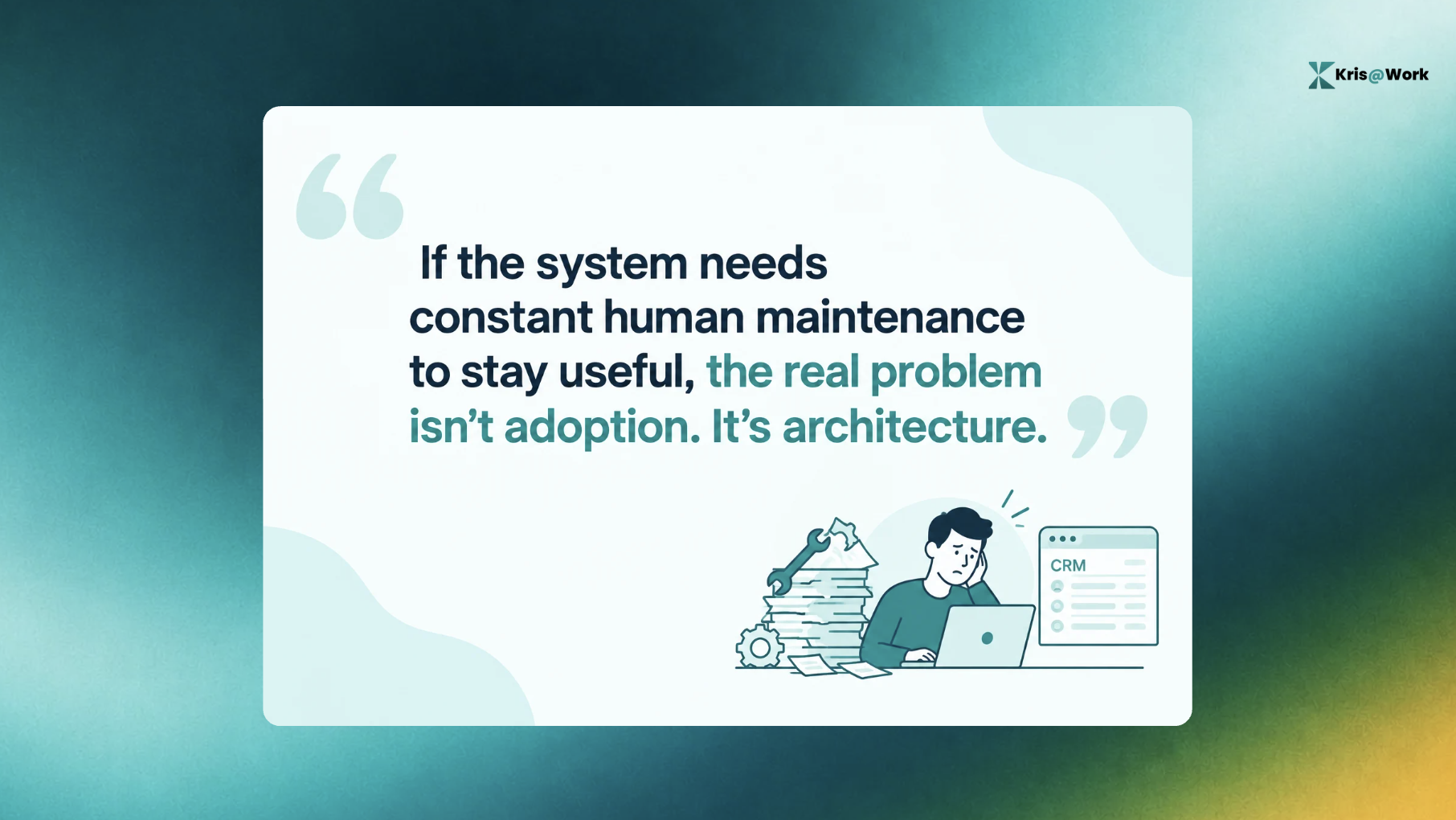
And if your adoption strategy depends on repeatedly reminding sellers to maintain the system, you may be treating a system-design problem as a behavior problem.
CRM Adoption is a System-Design Problem.
Sales reps aren't necessarily resistant to CRM. They're resistant to workflows that take time away from selling without helping them sell.
The traditional approach says “Get reps to update the CRM”, but a zero-touch approach asks a different question: Why should the rep be responsible for maintaining the CRM in the first place?
If the system can maintain the record from the work already happening, keep important information current, and give the rep useful intelligence in return, CRM adoption becomes a much smaller problem.
You don't need sales reps to love data entry. You need to stop asking them to do it.
FAQs
1. Why do sales reps hate CRM?
Sales reps often dislike CRM because it adds administrative work to a job centered on selling. Manual data entry, too many fields, memory-based updates, stale information, and limited personal value can make the CRM feel like a system reps maintain for the business rather than a tool that helps them sell.
2. Why ado sales reps avoid using CRM?
Sales reps may avoid CRM when updating it is time-consuming, disconnected from their workflow, or provides little immediate value. If information becomes stale anyway, reps can also lose trust in the system and start keeping important context elsewhere.
3. How can you improve CRM adoption?
Start by identifying how much manual work reps are required to perform. Simplify unnecessary fields, clarify the sales process, and automate CRM maintenance wherever possible. The biggest improvement comes when the system captures and maintains information without requiring reps to enter it manually.
4. Does CRM training improve adoption?
Training can help when reps genuinely don't understand the CRM or the underlying sales process. It doesn't solve the structural problem of excessive manual maintenance. If reps already know they're supposed to update the CRM, teaching them the same process again is unlikely to remove the underlying friction.
5. Can AI maintain a CRM automatically?
AI can automate parts of CRM maintenance, but the specific capabilities depend on the system. Kris AI CRM, for example, is designed as a zero-touch system of record with evidence-based stage transitions, auto-disposition, self-enrichment, and change detection.
6. What is a zero-touch CRM?
A zero-touch CRM is a system of record designed to minimize or remove the need for sales reps to manually maintain CRM data. Instead of relying on sellers to remember, enter, and update information after every interaction, the system maintains the record from the work and evidence already being generated.