
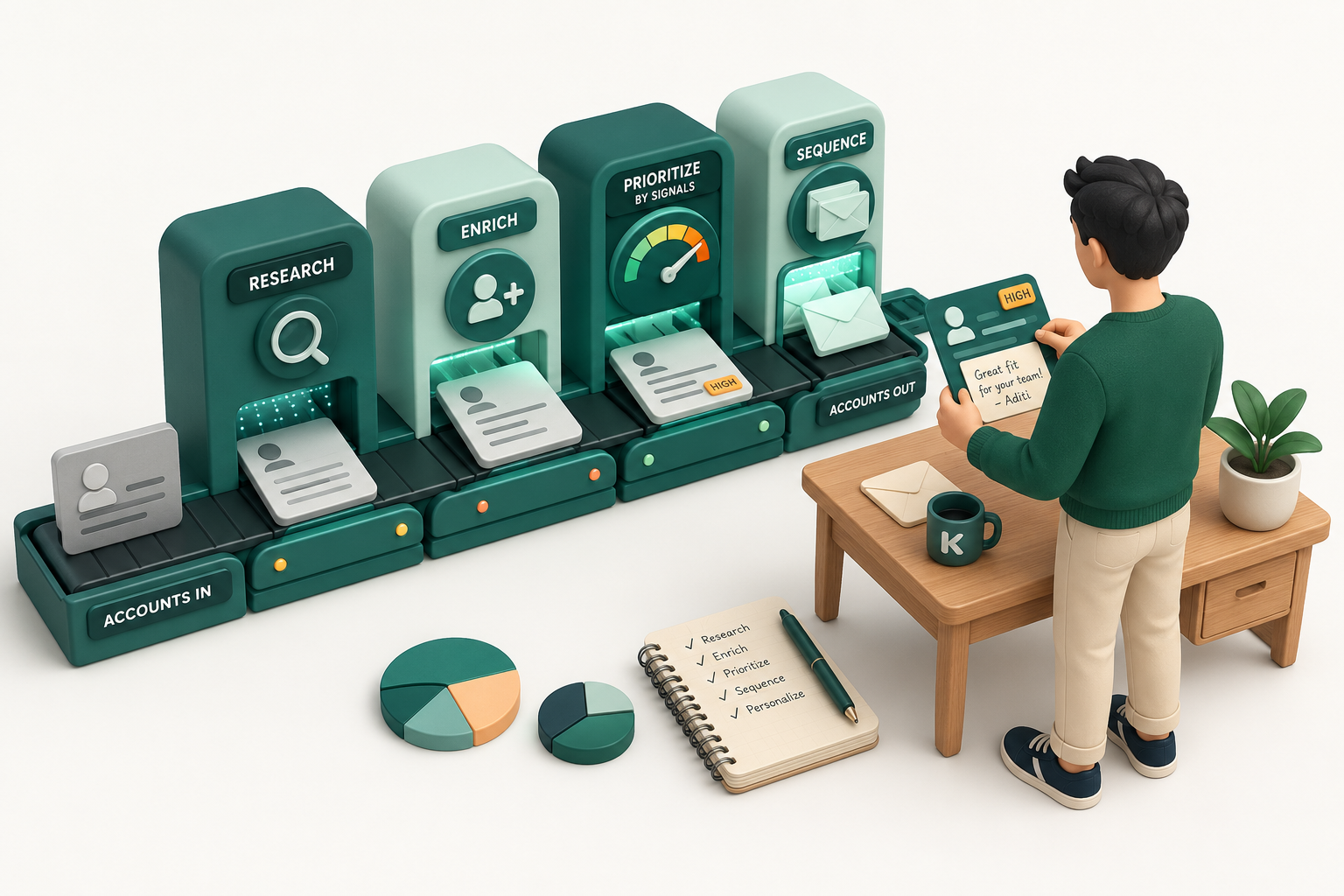
Every B2B inbox is full of outreach that name-drops your funding round, your latest post, your recent growth. It reads personal. It converts like spam.
Buyers learned to tell genuine relevance from automated personalization, and they only reward the first. That is the real constraint on modern prospecting. Automation keeps getting better at imitating understanding, and imitation is exactly what buyers now screen out.
So the question is not whether to automate prospecting. It is which parts to automate, and which parts you protect from automation because that is where the deal is actually won.
What is Automated Prospecting?
Automated prospecting uses AI to run the repetitive, time-consuming parts of the process: lead research, account discovery, contact enrichment, buying-signal monitoring, intent tracking, prioritization, and CRM updates.
It does not replace the salesperson. It removes the operational drag around them. AI gathers data continuously, surfaces relevant accounts and signals, and hands the seller the context to decide who to contact and why now. The seller keeps everything that needs a human: reading the signal, understanding the need, shaping the approach, building the relationship.
The scale of the problem is why this matters. Before a rep sends a single email, 70% of their time is already spent on non-selling work: clicking through tabs, cross-referencing databases, researching accounts, updating the CRM. Meanwhile 81% of sales teams are either implementing AI or already have (Salesforce, State of Sales), and AI-aided sellers are 3.7x more likely to hit quota. The upside is not in dispute. What teams get wrong is where to point it.
Which Prospecting Tasks Should be Automated?
The first step toward effective prospecting automation is separating work into two categories:
- Volume Work scales through repetition: collecting, enriching, monitoring, updating. High effort, low judgment. This is where automation earns its keep.
- Judgment Work needs intuition, interpretation, or empathy: deciding your ICP, reading the intent behind a signal, positioning the pitch, handling a hard objection. Automate this and you produce the exact "Congratulations on your funding" slop buyers delete on sight.
| Prospecting Stage | Volume Work (Automate) | Judgement Work (Human) |
|---|---|---|
| List Building |
|
|
| Signal Collection & Intent Tracking | Look for buying signals (website activity, tech stack, funding, hiring, etc.) |
|
| Outreach Strategy & Personalization | Analyze and collect unstructured corporate data points (press releases, earnings reports, blog posts, etc.) |
|
| Multi-Channel Execution | Automate follow-ups, CRM updates, activity tracking |
|
The goal is not automation for its own sake. It is scale where scale wins, and human judgment where judgment wins. Apply AI indiscriminately and you create more problems than you solve.
How Automation Should Work Across Your Tech Stack
Volume Work and Judgement Work complement each other. Automating repetitive execution gives sellers more time to focus on conversations, strategy, and decision-making.
For most teams, prospecting looks less like selling and more like tab management:
LinkedIn → Apollo → ZoomInfo → Crunchbase → Bombora → CRM → sales engagement platform → email verifier → outreach tool
Every handoff is a copy-paste, a re-check, a chance for data to go stale. Your reps stop being sellers and start being data handlers across a dozen disconnected tools.
Effective prospecting automation doesn't add another tool. It brings existing tools together into one coordinated workflow. Otherwise, your sales reps will more than likely operate as data handlers, working across 15+ disconnected tools.
The alternative is a workflow where data collection, enrichment, signal monitoring, and prioritization happen continuously in the background. What this workflow can look like when AI prospecting tools (like Kris Capture) are integrated to handle Volume Work.

5 Steps to Automate Prospecting in Your Workflow
Step 1: Set a clearly defined Ideal Customer Profile (ICP)
Automation is only as good as the criteria you give it. Set what a high-fit customer actually looks like before you automate anything. A B2B SaaS company might define its ICP as North American firms, 200 to 2,000 employees, an established outbound team, and a specific tech stack. With that in place, the system can surface matching accounts on its own.
Step 2: Automate account discovery
Instead of asking an SDR to hand-find 100 companies, identify the right buyers, verify contact details, and map each tech stack, let the software assemble it first. The rep starts from a prioritized list, not a blank sheet.
Step 3: Monitor buying signals continuously
Track hiring, leadership changes, tech adoption, funding, and engagement, and fold every change into the account's context. Then let a human decide whether the signal means intent. A company hiring 30 sales reps could be scaling into a new market, or it could be backfilling churn. Automation surfaces what changed. The seller decides why it matters.
Step 4: Review AI-generated account context
Funding announcements, press releases, and earnings land in one view so the seller can judge fit fast. A $50M raise is not a reason to send another "Congrats on the funding" email. The useful detail is that the company is using it to enter three new markets and double the sales team. If your product helps growing sales orgs prioritize high-intent accounts, now there is a real reason to reach out.
Step 5: Personalize, then automate execution
With the volume work done, the rep spends their time on the message. Take a prospect who just became VP of Sales at a scaling SaaS company:
"I noticed you've stepped into the VP of Sales role while the team is expanding its outbound motion. At this stage the hard part is usually helping reps figure out which accounts deserve attention without burning hours on manual research."
Once the seller shapes that opening, automation handles the operational tail: CRM updates, logged activity, scheduled follow-ups, current account data.
Automation Handles the Work, Relationships Depend On
Most of the AI conversation fixates on what it can replace. In sales, that is the wrong question. The opportunity is not replacing sellers. It is removing the work that keeps them from selling.
Customers do not buy because an email was written quickly. They buy because someone understood their business and answered the difficult questions. No AI builds that trust for you.
What automation does exceptionally well is supply the context, signals, and information that let sellers make better calls faster. Offload the volume work and you give your team back the time to actually have the conversation.
Automation does not automate relationships. It automates the invisible work those relationships run on.
FAQs
1. What is automated prospecting?
The use of AI and automation to handle repetitive tasks like lead research, account qualification, contact prioritization, CRM updates, and signal and intent monitoring, so reps spend less time gathering data and more time selling.
2. Which sales prospecting tasks can be automated?
Anything centered on collecting, organizing, and processing information: building prospect lists, enriching contact data, mapping firmographics, monitoring buying signals, updating the CRM, managing follow-ups, and generating account context. Tasks that need human judgment, like understanding a specific challenge or positioning the pitch, stay with the seller.
3. Does AI replace SDRs?
No. It removes the repetitive work that blocks higher-value selling. AI surfaces the context and signals; the rep decides how to approach the account.
4. What should sales teams automate first?
The repetitive, time-consuming basics: account research, lead enrichment, intent monitoring, CRM updates, and follow-up management. Teams that start here see the biggest lift in quota attainment because it frees time for strategy, personalization, and conversations.
5. What should not be automated?
The judgment work: ICP decisions, strategy and positioning, complex objections, and relationship building.