

Sales stack consolidation comes down to one audit. List every tool, check who uses it, then decide what to keep, cut, or combine. Sales teams often end up with a dozen or more tools, yet only a handful make it into the daily workflow. The rest are paid for but barely used.
This isn't just a 40-person-team-with-a-RevOps-lead problem. It's a founder's problem too. You're paying for tools that may no longer be solving the problems they were bought to solve. The pattern is the same at any size: a tool gets added to solve one problem, hardly anyone circles back once the problem changes, and the subscription just stays on.
The nine steps below walk through that audit in full, built to reduce tool sprawl without losing what's actually working.
The Real Cost of Tool Sprawl
The obvious cost is the licenses for those tools. The less obvious cost is everything that happens between them. There is also the cost of what goes on in between those tools. Every switch creates friction, and every piece of data manually moved from one application to another creates another opportunity for information to be lost or become outdated.
Adoption itself is a cost. A tool bought to solve a problem in month two is often still being paid for in month ten, doing ten percent of the job while a person quietly does the rest by hand.
Information about deals is scattered between the CRM, email, voice recorder, and the Excel sheet, but none of them agree on which stage the deal is at. It’s also one reason reps can spend a significant part of their week updating records and stitching together context instead of selling.
Every new employee comes with an extra person who needs to be trained on twelve different logins before becoming productive. This time frame isn’t usually found on anyone’s spreadsheet.
Step 1: Inventory Every Tool and Its True Cost
Start with company cards, expense reports, procurement records, and personal accounts that the business reimburses.
Write down the license cost, the person it was bought for, and whether the problem it was bought to solve still exists.
Don’t limit yourself to obvious sales tools either. Look out for any tool doing sales work under a different name. This may include a calendar, note-taking app, or a form builder repurposed as a lead tracker.
Step 2: Measure Actual Usage, Not Seats Bought
Seats purchased rarely equal seats actually being used. Look at activity from the last two to four weeks, rather than lifetime usage statistics from a vendor dashboard. If there are no login activity reports, just ask the owner when they last logged in without being reminded.
Most founders are usually surprised by the difference in numbers. A five-seat tool can actually be operated by one individual logging in every day and others lying idle.
Step 3: Map Tools to the Sales Process
Break the sales process into stages: prospecting, outreach, follow-up, scheduling, deal management, and reporting.
This alone is enough to reveal the first problem: a number of tools vying for the same stage, and no clear understanding of which one the team favors. There are also some gaps: a stage where there is not a single tool available, and everything is done via email.
Step 4: Find the Overlaps
With tools documented, it becomes easier to identify overlaps: two tools recording the same responses, two tools sending the same follow-ups, or a spreadsheet doing badly what a purpose-built tool already handles elsewhere.
Make a list of these overlaps. They represent the obvious places to save money both in double payments and in everyday headaches regarding whose system holds the correct information.
Also document which tool the team actually prefers at each stage. The tool people default to under deadline pressure is often more important than the one that looks best on a feature spreadsheet.
Step 5: Identify the Tools Nobody Opens
Some tools aren't overlapping with anything; they simply aren't being used. There are no recent logins, no clear owner, and no process that depends on them.
These are the easiest cuts, since removing them doesn't require replacing anything. A tool unopened for a month is very unlikely to be load-bearing. Cutting it first also buys you goodwill for the harder decisions in Step 6.
Step 6: Decide: Consolidate, Replace, or Cut
For every tool, there are three honest options.
- Keep: It does something important that isn't covered elsewhere.
- Cut: It solves a minor problem that the team can handle without it.
- Consolidate: Another system can absorb its core function.
The instinct is to hold onto everything for fear of losing something. Don’t give in. If it's not getting used, it's not protecting you; it's an open tab you're paying for.
This is also where a broader platform can make sense: instead of adding another point solution, you can consolidate several deal-management functions into one system that manages deal intelligence, health scores, next-best actions, and coaching.
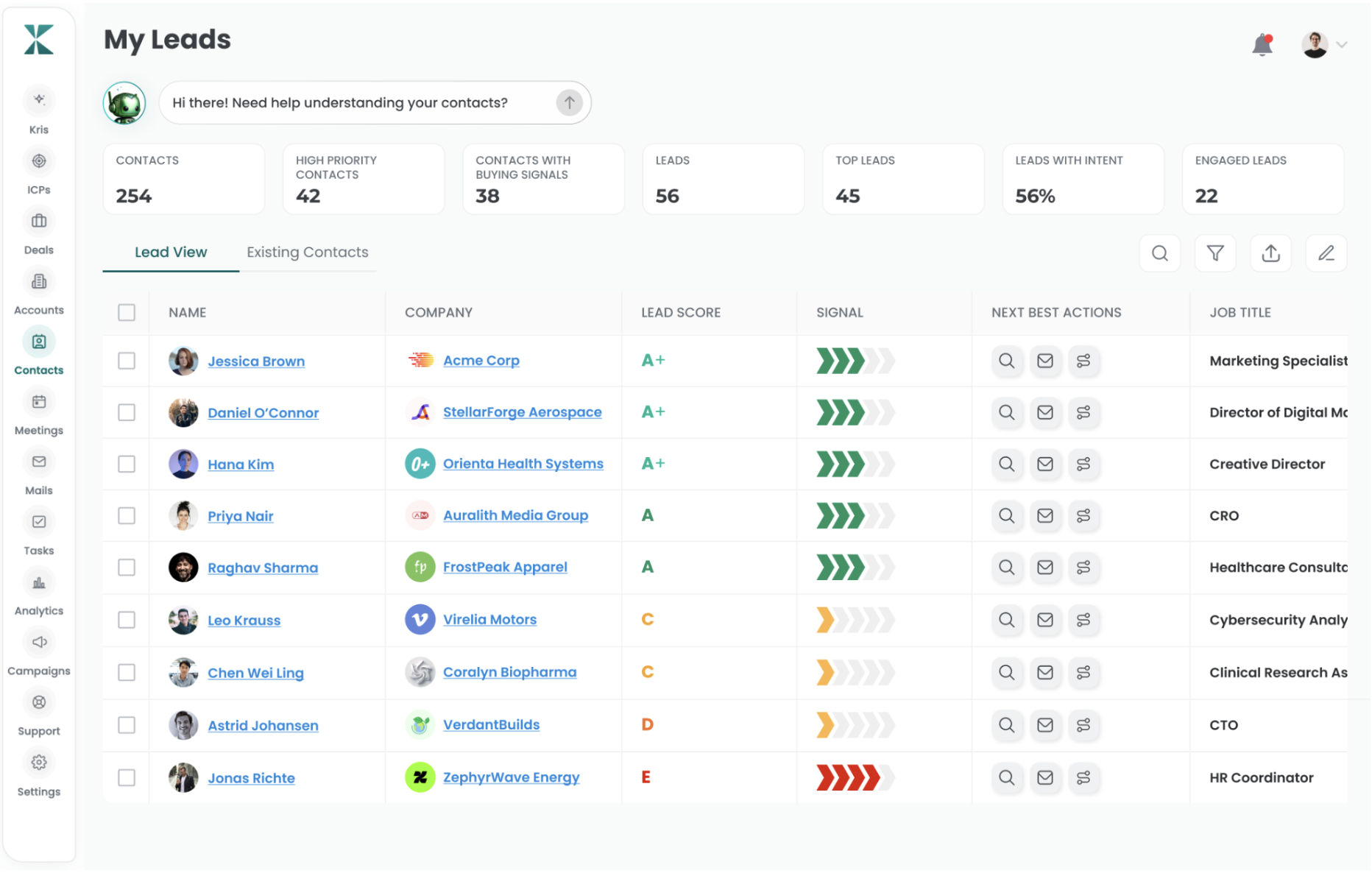
For example, Kris Close brings those functions together in a single view, using call, email, and CRM data to assess deal health and recommend next steps, reporting a reduction in sales cycle time by up to 40%.
Whether that number holds for your team depends on how fragmented your current process actually is, which is exactly what Steps 3 and 4 were meant to show you.
Step 7: Compare the Total Cost of Ownership
Before committing, understand exactly what the cost is of the combined stack: the license cost of the new platform, the features you'll have to sacrifice, and the risk associated with relying on the same vendor for more pieces of your stack.
This process is not free; you will be trading multiple small vendors for one big one. This trade should come with an understanding of all the costs involved.
If a new stack includes a CRM layer, think carefully about what "self-maintaining" really entails before purchasing it. For instance, Kris's AI CRM was designed to update deal stages and dispositions automatically from conversations, email, and meetings. Also, it will refresh the titles, firmographics, and contacts based on live data feeds, ensuring none of the information goes stale between updates.
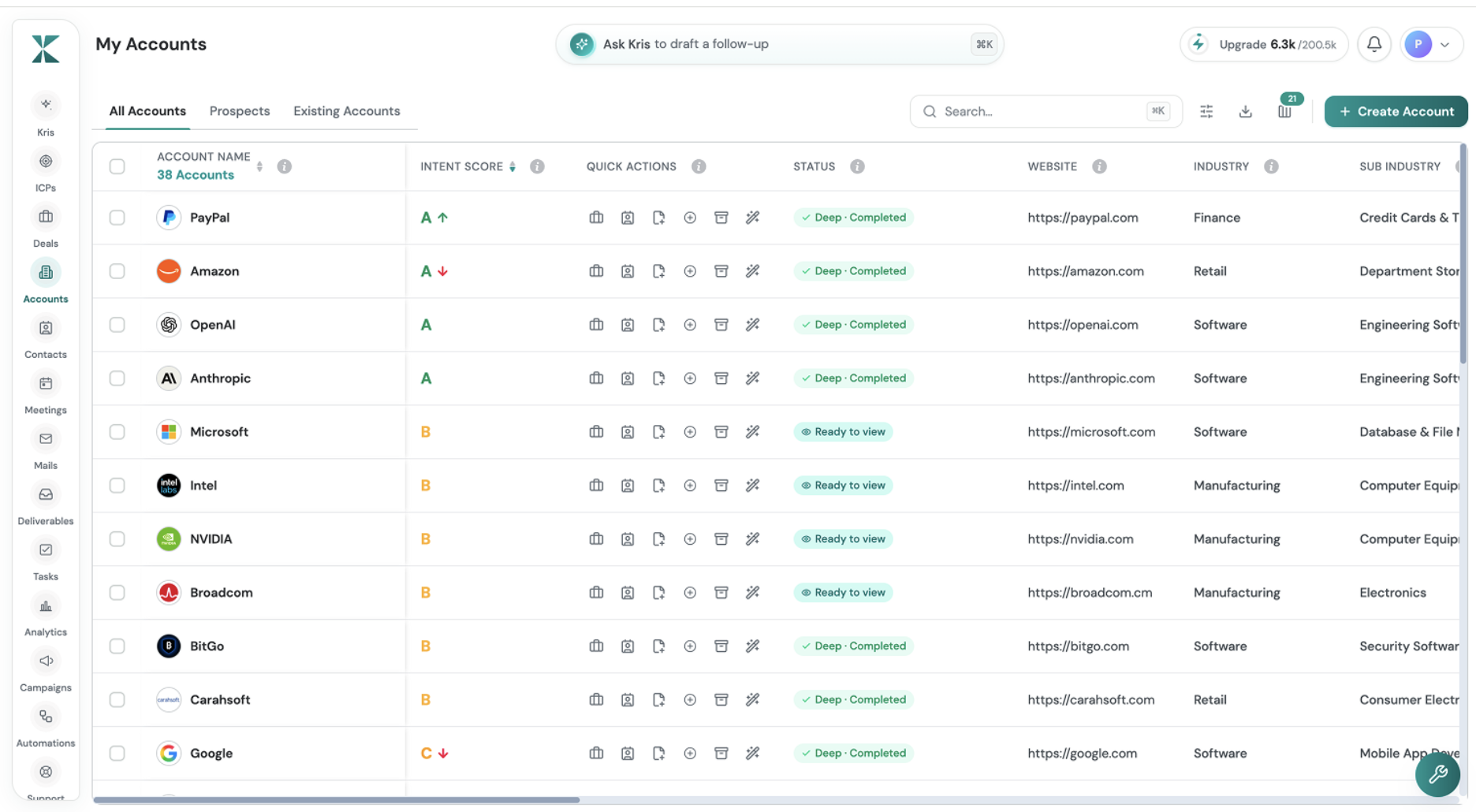
According to Kris, this saves each rep about two hours a day that would otherwise go to manually managing their CRM. Before using that figure in your business case, compare it against your own Step 2 data. If you're considering an AI-native GTM platform, compare what each one actually replaces in your current stack and not just the features it adds.
Step 8: Plan the Migration
Migration is where otherwise good consolidation projects can fail. Document what needs to move, what can be archived, and what can be left behind. Determine what needs migration or archiving, and who will be training the team on the new tools and retiring the old ones.
If the new solution will become the system of record going forward, make sure you know how existing data that was never formally recorded will be handled.
Establish your cutover date or pay for two stacks simultaneously.
Step 9: Prevent Re-Sprawl (a Procurement Gate)
Most founders usually skip this step. After you consolidate everything, put a quick check in front of anything new. Sprawl doesn't come back because of one wrong choice; it comes back because there was no choice at all, just another free trial that quietly became permanent.
Even a lightweight rule can work: before anyone adds a new sales tool, they need to identify the problem it solves, the existing tool that doesn't solve it, its owner, and its annual cost.
A Sales Tech Stack Audit Template
Copy this into a sheet, list every tool from Step 1, and fill it in as you work through Steps 2 to 6.
| Tool | Job It Does | Owner | Annual Cost | Last Used | Overlaps With | Keep / Consolidate / Cut |
|---|---|---|---|---|---|---|
| e.g. Tool A | Cold outreach | John Doe | $XXX.XX | 3 days ago | Tool C | Keep |
Summing It Up…
Tool sprawl doesn't necessarily mean something went wrong. It's usually the result of solving problems one at a time and never revisiting the stack.
The fix is straightforward: inventory every tool, measure actual usage, map each tool to the sales process, identify overlaps, and force every subscription into one of three buckets: keep, consolidate, or cut.
Then put a procurement gate in place so the same problem doesn't return six months later.
FAQs About Cutting Tool Sprawl
How often should I run a tool audit?
Once a year at minimum, and again before any renewal season where several contracts come up at once. A quick quarterly usage check catches sprawl before it becomes a real problem.
Is consolidating always cheaper?
Not always. If your overlap is small and each tool does a distinct job well, consolidating can mean paying more to replace tools that were already priced fairly.
What's the biggest risk when cutting out tools?
Losing a capability a niche tool handled well, and underestimating migration effort. Constant context-switching also takes time away from selling.
Does consolidating always mean replacing your CRM of record?
No, not necessarily. Some teams consolidate outreach and deal tools while keeping their existing CRM. The right call follows from your Step 4 overlap check, not the reverse.