
Most account research takes too long because the information is scattered.
You open the company website. Then LinkedIn. Then the news. Then job postings. Then your CRM. Then a data provider. Then another tab because you found something interesting in the first six.
The actual research is rarely the hard part. The hard part is turning all of that information into a decision: Is this account worth working, who should I contact, why now, and what should I say?
An account research tool can compress that process into a single workflow.
In this guide, we'll walk through how Kris@Work handles it, from researching an account and finding relevant contacts to identifying signals and turning the research into an outreach action, reducing account research from 5 to 6 hours to under a minute.
But first…
What Should You Actually Research About an Account?
Good sales account research is not about collecting every available fact about a company.
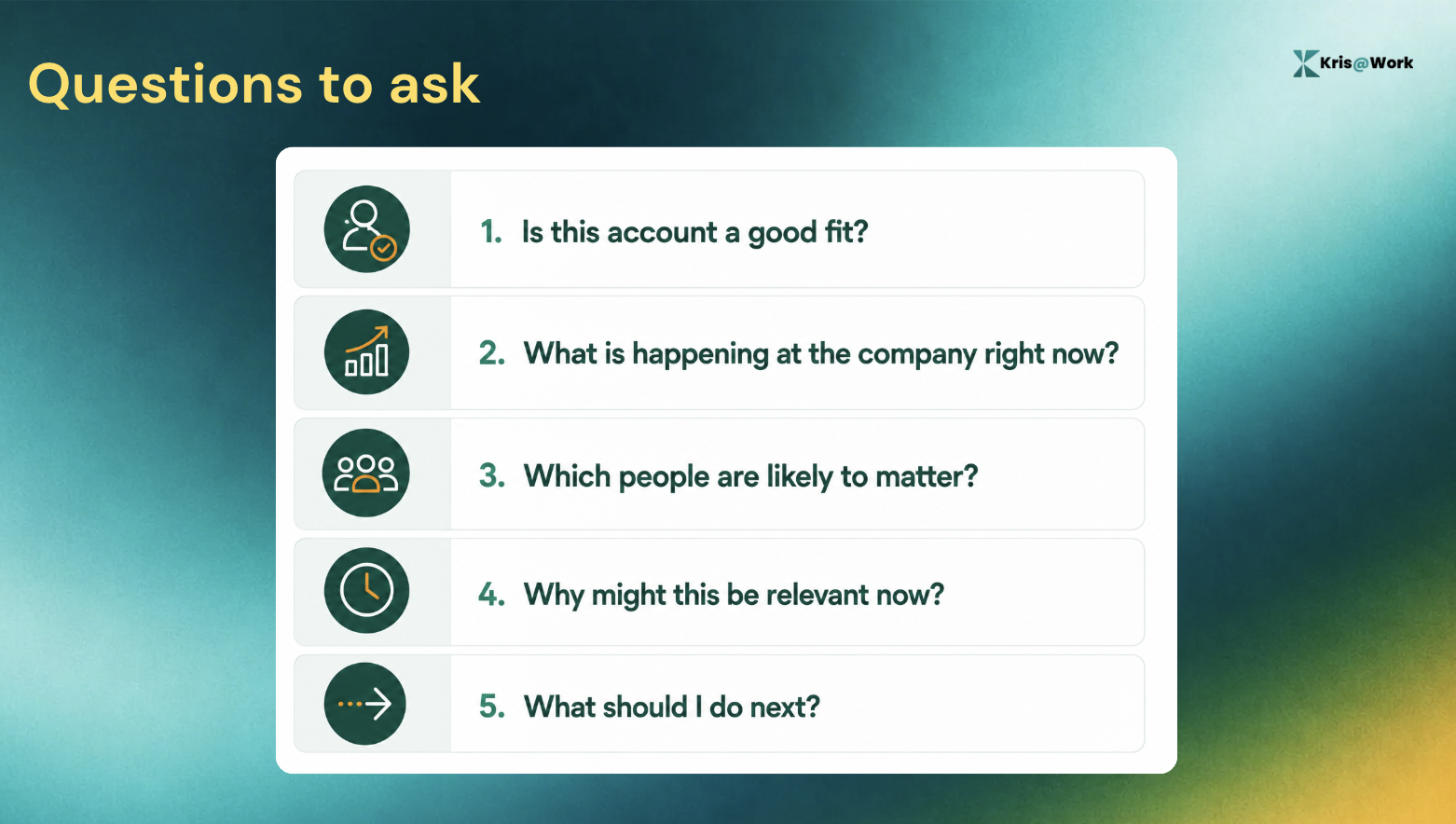
You need enough context to answer five questions:
Why Manual Account Research Takes So Long
The traditional process looks something like this:
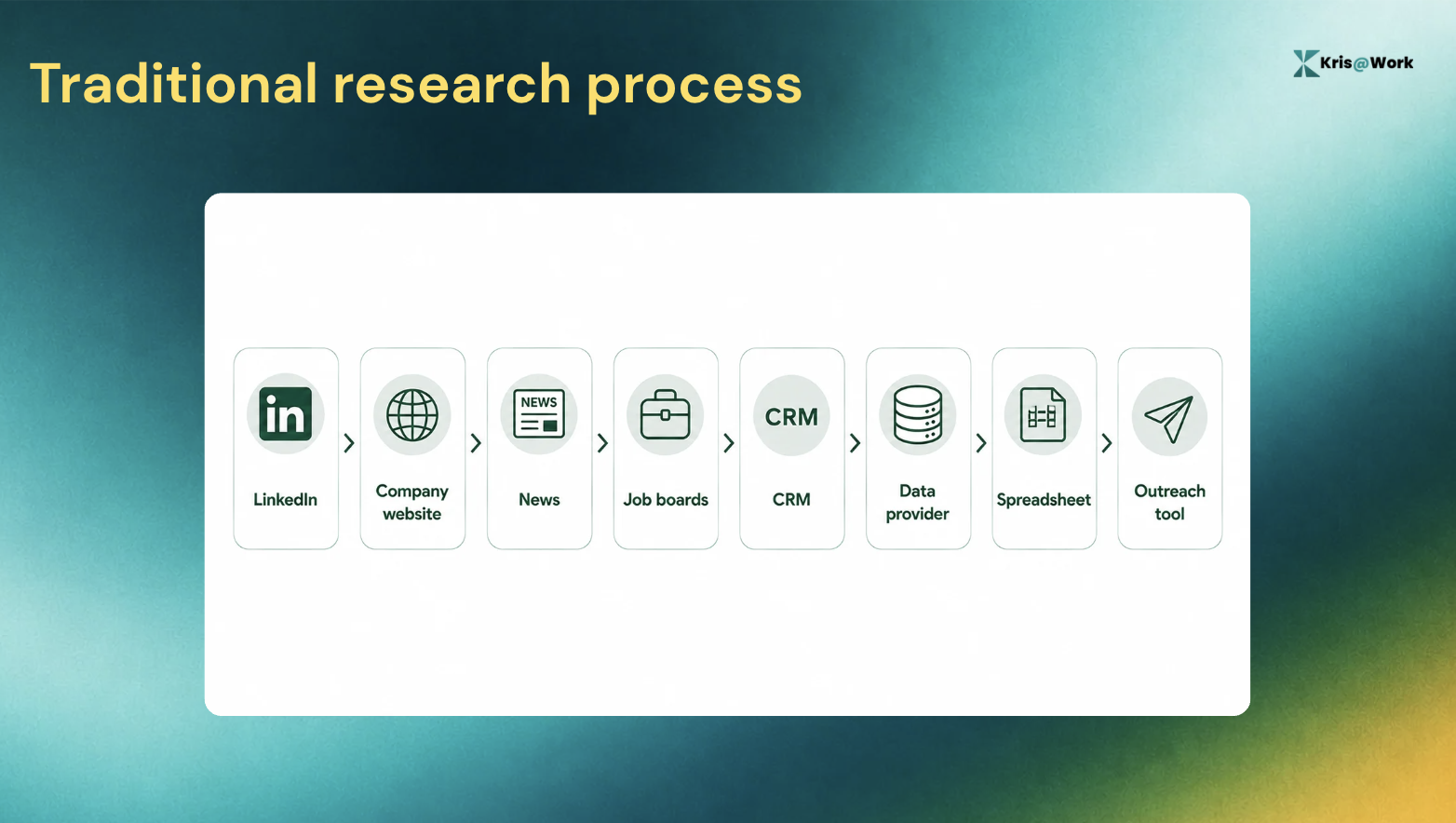
Each source can contain useful information. The problem is the switching. The rep has to do three jobs at once:
- Find the information
- Decide which information matters
- Turn it into an action
That is why account research tends to expand.
You start by checking whether the company is a fit. Then you notice a recent leadership change. That sends you to LinkedIn. From there you find a new job posting. Then you check the careers page. Then you want to know whether the company has mentioned the same priority publicly. Before long, 30 minutes have disappeared.
Multiply that across dozens of accounts and research becomes a job of its own.
How to Research an Account in 6 Steps
Step 1: Start with account fit
Before you spend time researching an account, establish whether it is worth researching in the first place.
Start with your ICP.
Depending on your sales motion, that might include:
- Industry
- Company size
- Geography
- Business model
- Growth stage
- Relevant technology
- Team structure
- Other characteristics associated with your best customers
The point is to eliminate obvious mismatches early.
If an account does not fit your ICP, there is little value in spending 30 minutes finding interesting facts about it.
If it does fit, you now have a reason to investigate further.
How Kris@Work does it
Kris starts with the account and brings account research into the same workflow used for prospecting and prioritisation.
Kris Capture workflow includes ICP scoring and account research, so the rep does not have to treat research as a completely separate activity from deciding which accounts to work.
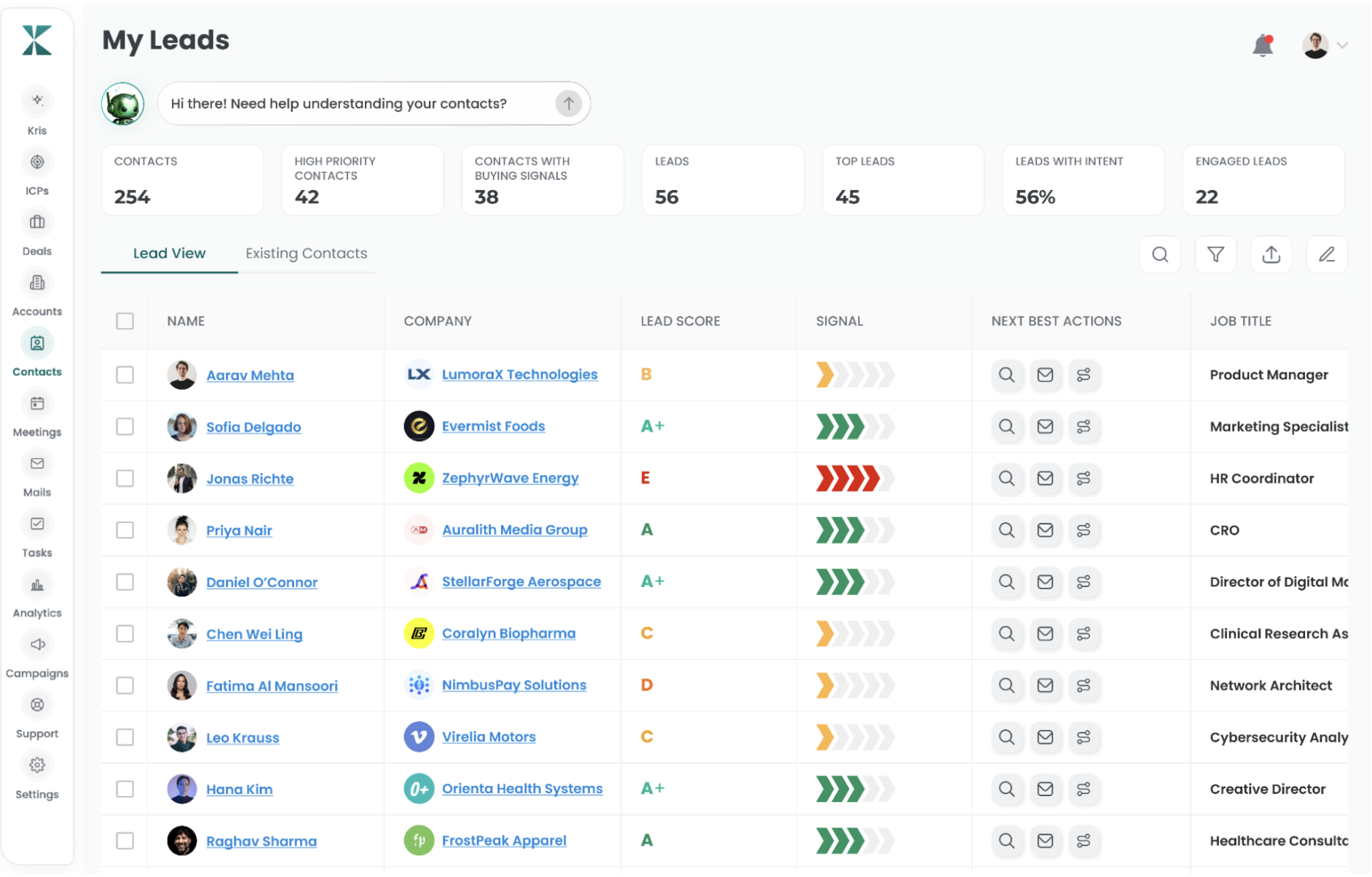
The useful part is not simply getting a score.
It is having the account's fit become part of the decision about where the rep should spend time.
For a large account list, that distinction matters. The goal is not to research every account equally. It is to spend deeper research time on the accounts that deserve it.
Step 2: Research the company
Once an account looks worth pursuing, build enough context to understand what is going on.
A simple research checklist is usually better than an open-ended search.
Look at places such as:
- The company website
- Careers pages
- Company LinkedIn posts
- Newsrooms
- Recent announcements
- Relevant executive statements
- Job postings
- Your CRM and existing account history
You are looking for information that could affect the sales conversation.
A careers page can tell you that a team is expanding. A newsroom can reveal an acquisition or market expansion. A recent executive announcement can tell you that priorities may be changing.
The ultimate goal is to understand the account well enough to decide what matters.
How Kris@Work does it
Kris brings the account research into the prospecting workflow instead of making the rep rebuild the same research process across several tabs. So instead of multiple tools and a whole lot of context switching, you get a single intelligent window.
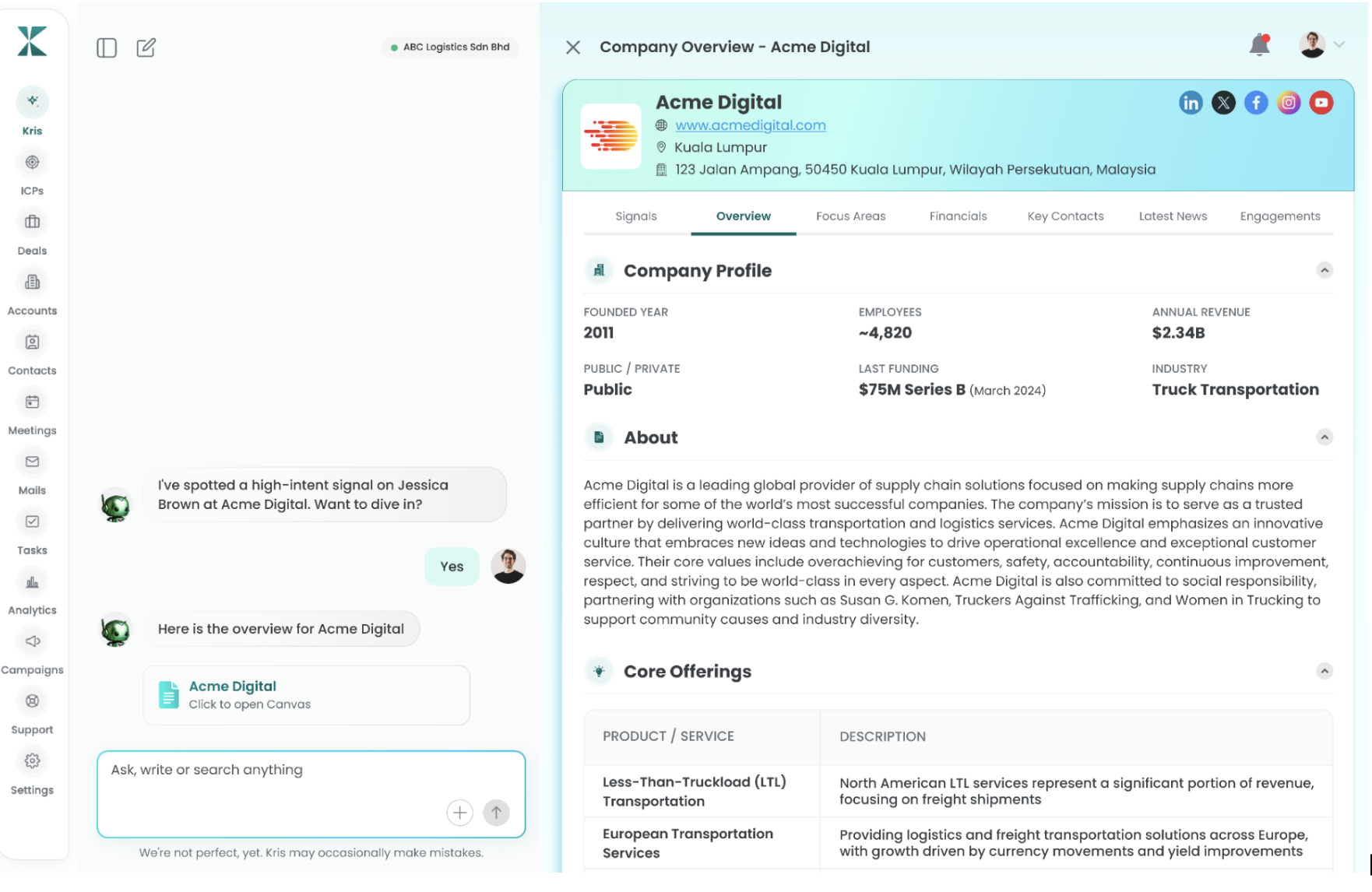
Step 3: Find a signal that gives you a reason to care
Now look for something that has changed. Static information tells you what the company is. A signal can tell you what might be happening now.
Look for things such as:
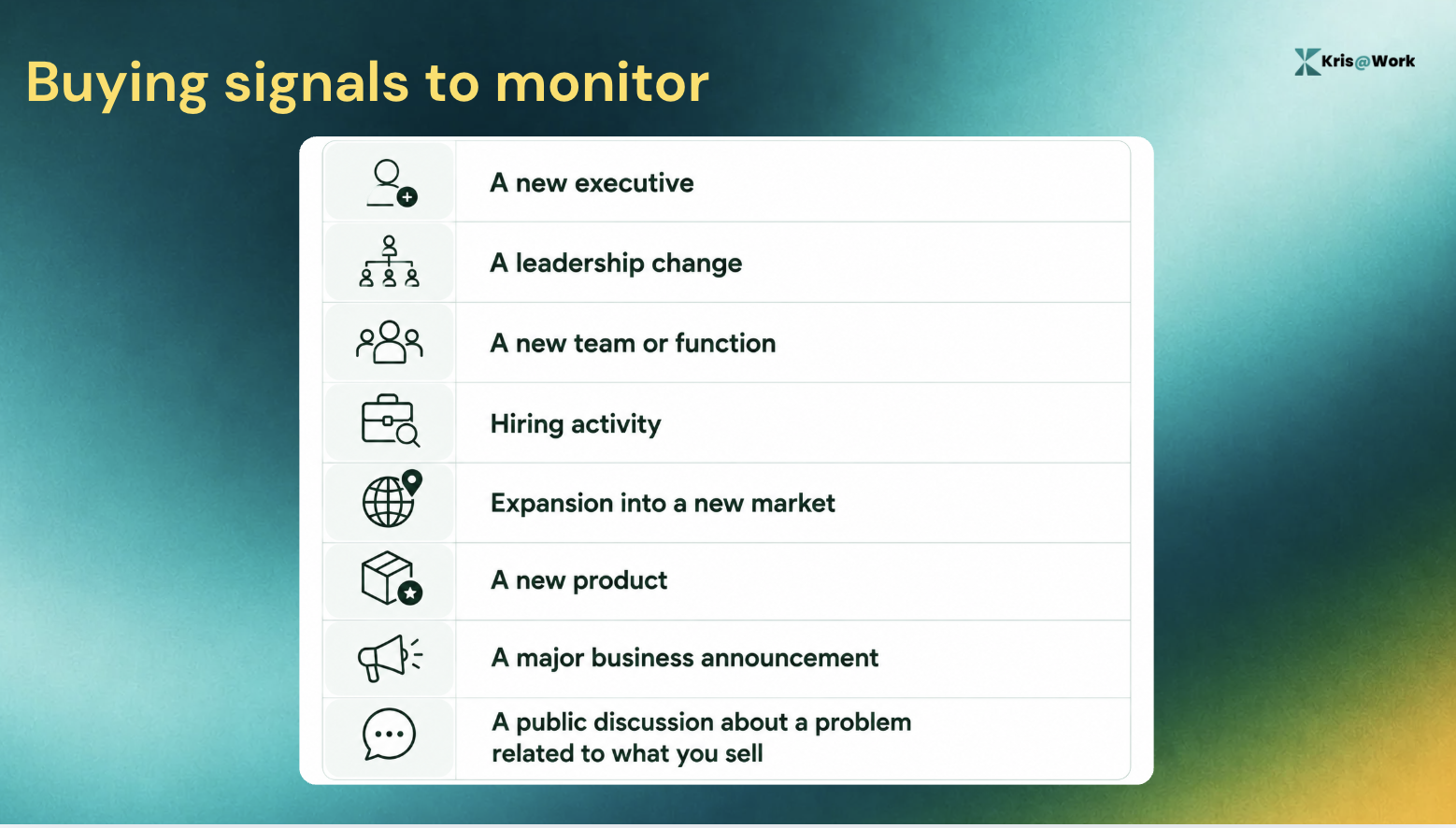
For example, a new VP of Sales is a fact. By itself, it is not a reason to email someone.
But it can give you a credible reason to investigate whether the new leader is reviewing pipeline coverage, rep ramp, account prioritisation, or another part of the sales process.
That is the difference between personalization and relevance.
How Kris@Work does it
It surfaces signals alongside the account and contact context such as a champion being promoted, a new VP joining the company, or a competitor being mentioned in a review. Those signals can then be connected to a recommended action.
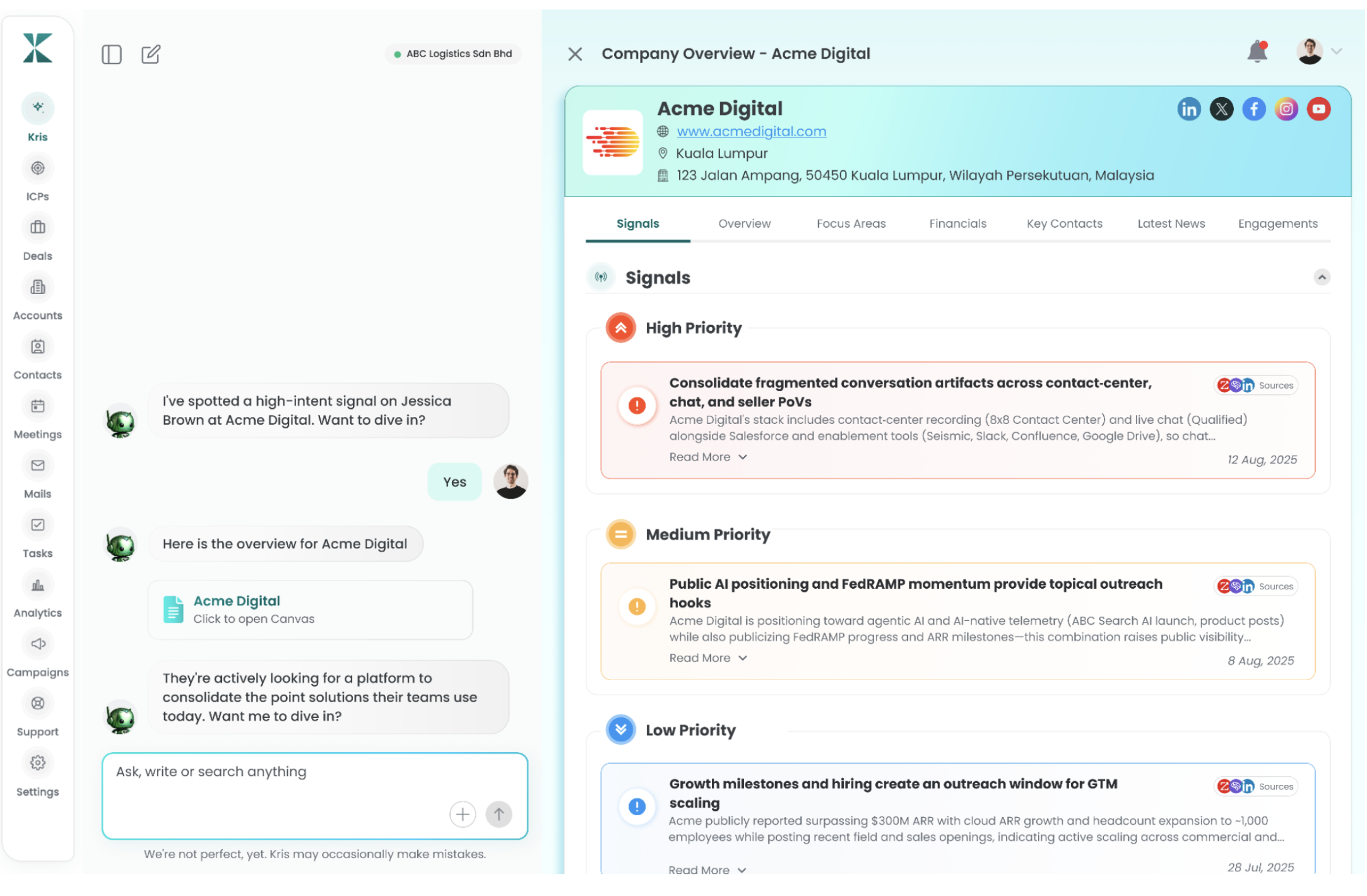
This is where the research starts becoming actionable.
Instead of asking:
"What interesting things can I find about this company?"
you can ask:
"Which of these things should change what I do next?"
That is a much more useful question for a seller.
Step 4: Find the right people
Once you understand the account and have found a relevant signal, figure out who is actually worth contacting.
Do not automatically pick the most senior person.
Think about:
- Who owns the relevant function?
- Who experiences the problem?
- Who has authority over the outcome?
- Who might evaluate a solution?
- Who could influence the buying decision?
An account may have several people connected to the same problem, but they will not all have the same relevance.
The best contact is the person who connects the account situation to the problem you can help solve.
How Kris@Work does it
It can surface and grade contacts using factors such as account fit and contact authority.
Its SDR workflow describes a ranked worklist of A+ and A contacts, with the reason behind the grade and a Next Best Action attached to the contact.
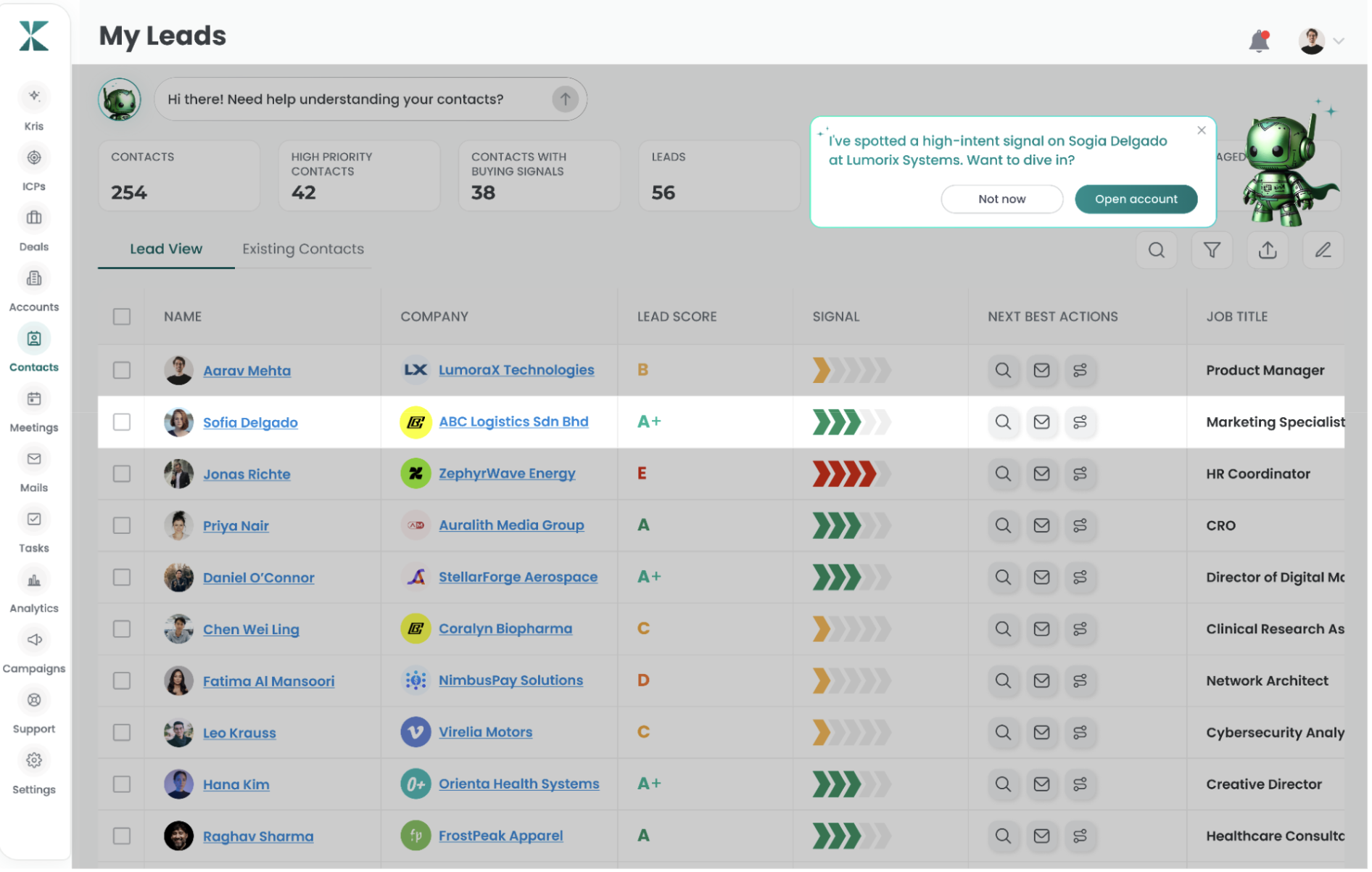
That changes the question from:
"Who works at this company?"
to:
"Which person should I actually spend my time on?"
It also gives reps a way to work fewer accounts more deeply. So instead of spraying and praying, they get top 20 to 30 graded for potentially better results.
Step 5: Turn the research into a next action
At this point, you should be able to explain “Why this account? Why this person? Why now?”
If you cannot, you probably need more research. If you can, decide what happens next.
That might mean:
- Reach out now
- Wait for another signal
- Contact a different stakeholder
- Use a warm introduction
- Add the account to a priority list
- Skip the account
Research without a next action is easy to confuse with progress.
You can spend an hour reading about an account and still have no idea what to do with what you found.
How Kris@Work does it
It connects account and contact context to a Next Best Action. Fo example, a Director of RevOps posts about evaluating outbound platforms, and the Kris@Work recommended action is to reach out within 24 hours, with a draft prepared in the rep's voice.
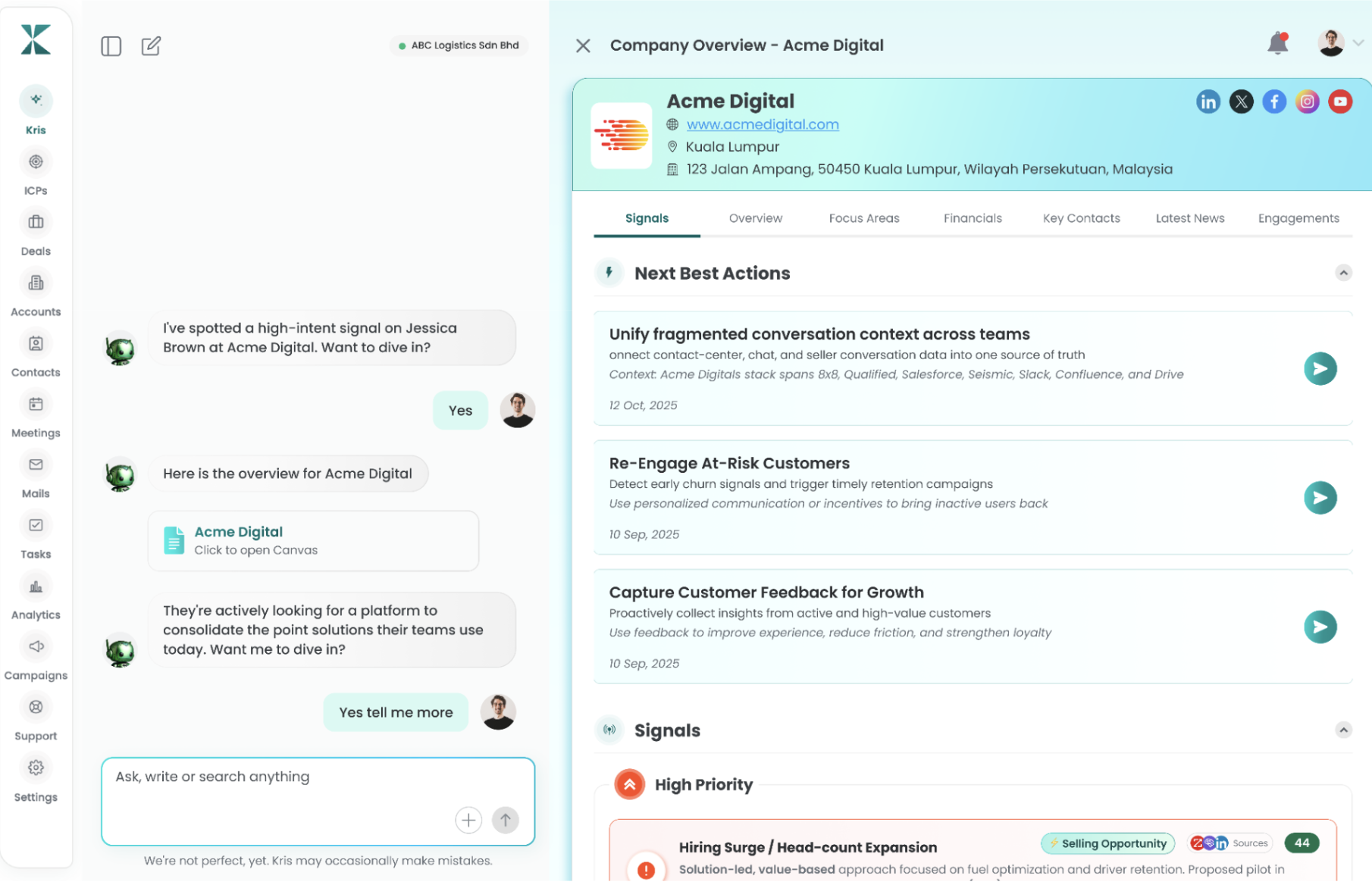
The sequence becomes:
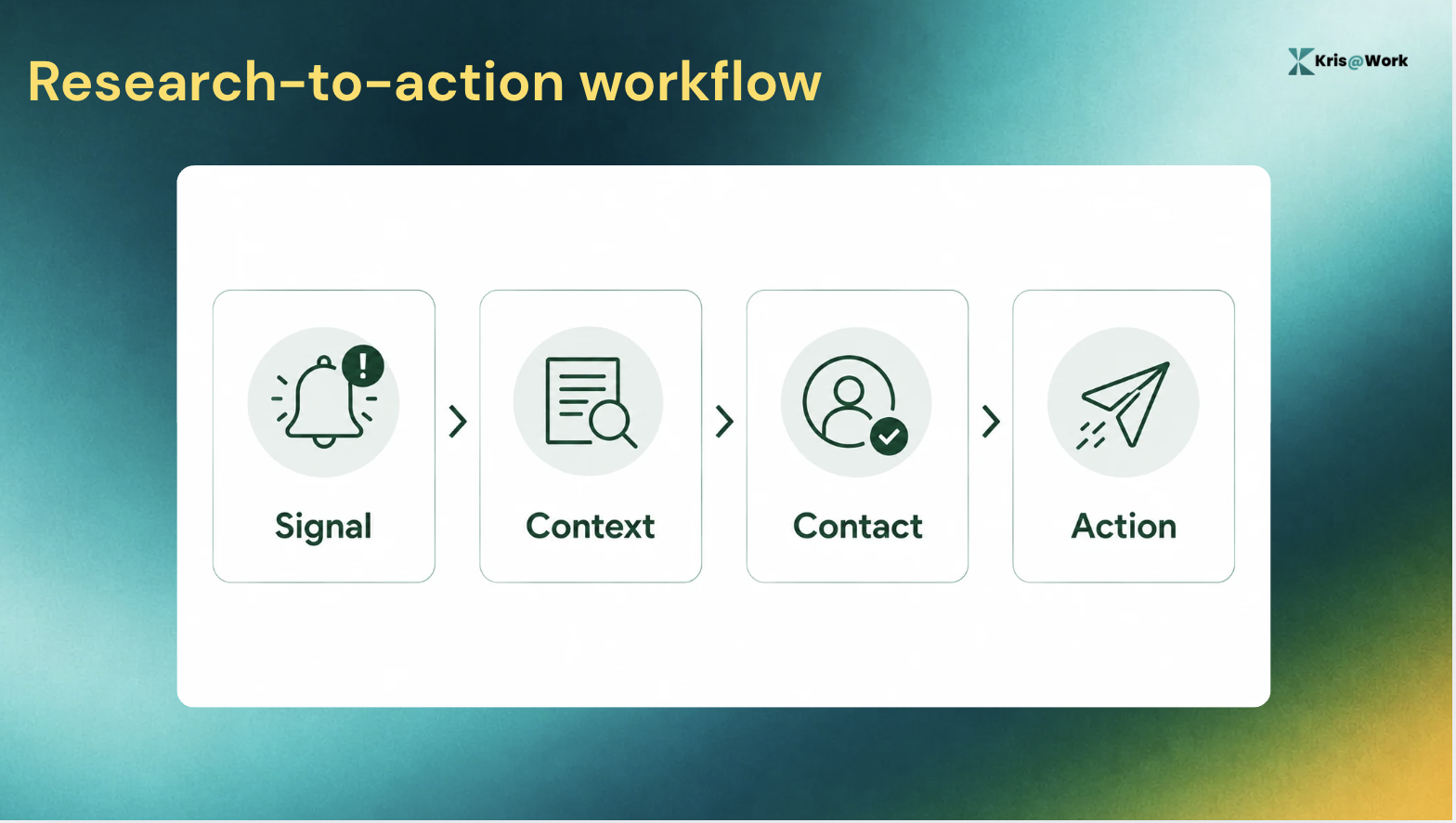
That is the point where account research stops being research and becomes a sales workflow.
Step 6: Turn the research into outreach
The final step is using what you found without overdoing the personalisation.
A good message does not repeat the prospect's LinkedIn profile back to them. It connects a relevant signal to a plausible business problem.
For example:
"I noticed you recently added a VP of Sales."
is personalised, but it does not give the prospect much reason to care.
A better starting point might be:
"I noticed your sales team has been expanding while you've also added a new VP of Sales. I imagine keeping pipeline coverage and account prioritisation consistent gets harder as the team scales. Is that something you're working through?"
The second version does not pretend to know the prospect's internal situation. It makes an informed hypothesis and gives the prospect something worth responding to.
How Kris@Work does it
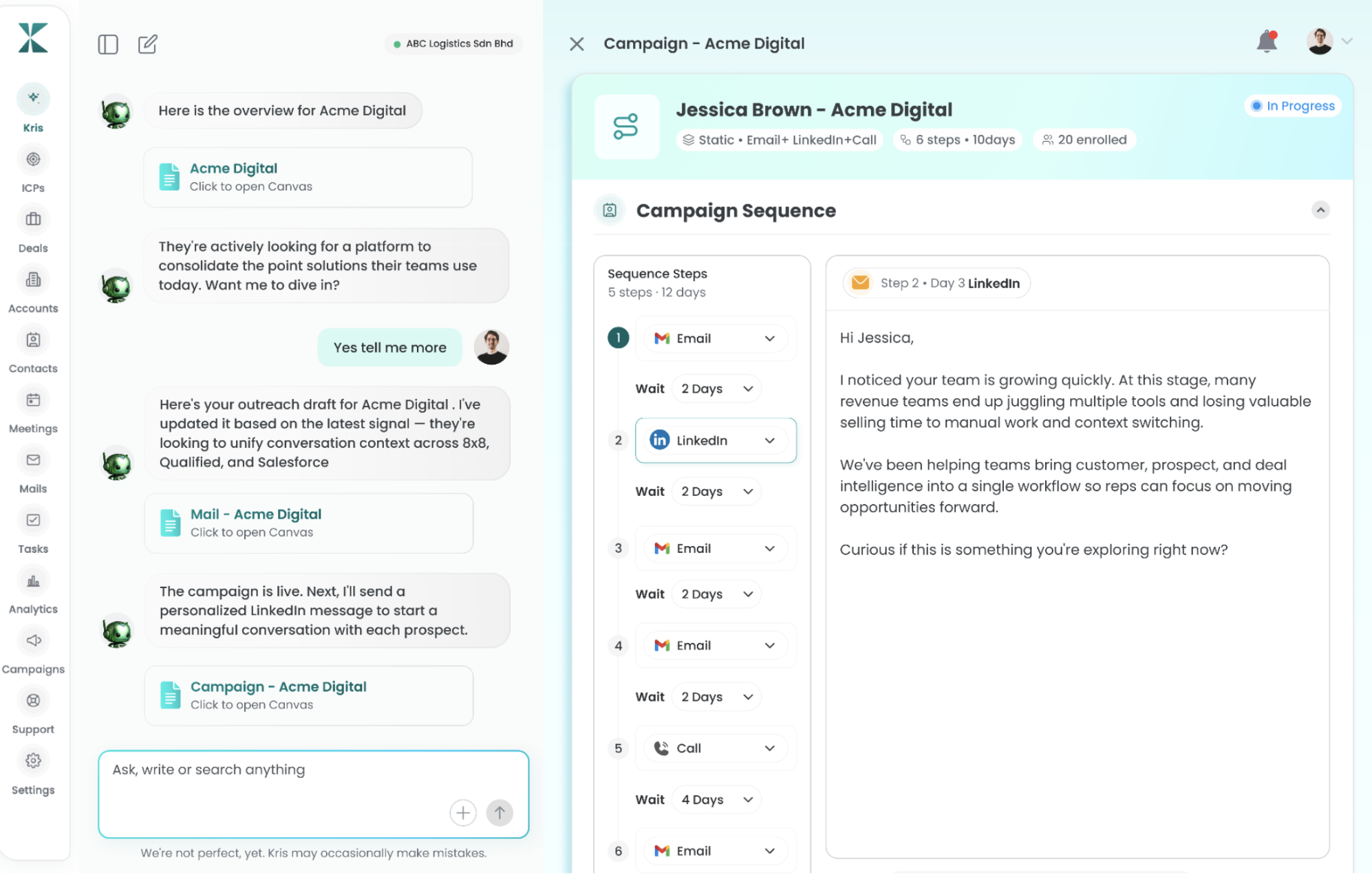
Kris can use the account and prospect signals gathered during research to create a personalised outreach draft. Because the research is already done, the prioritization decision has been made, and the message is prepared in the rep's own voice. The rep then only reviews it, edits a line, and sends it.
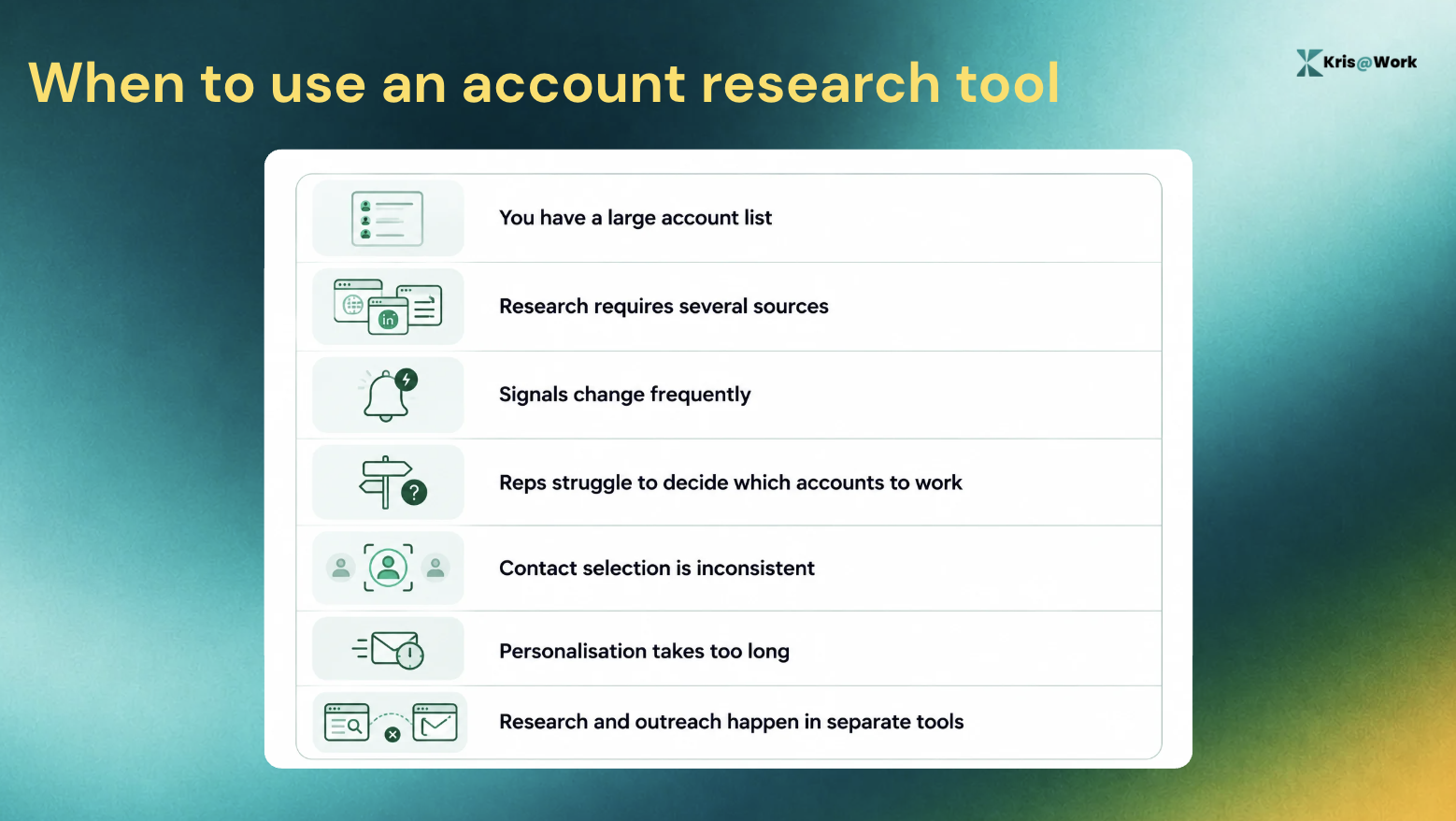
When Should You Use an Account Research Tool?
Manual research is not always a problem. If you are preparing for a major enterprise meeting with five strategic accounts, spending more time on each one may be exactly right.
The problem appears when you need the same level of context across dozens or hundreds of accounts.
That is where an account research tool starts to make sense.
Use one when:
Account Research Checklist
Before reaching out, you should be able to answer:
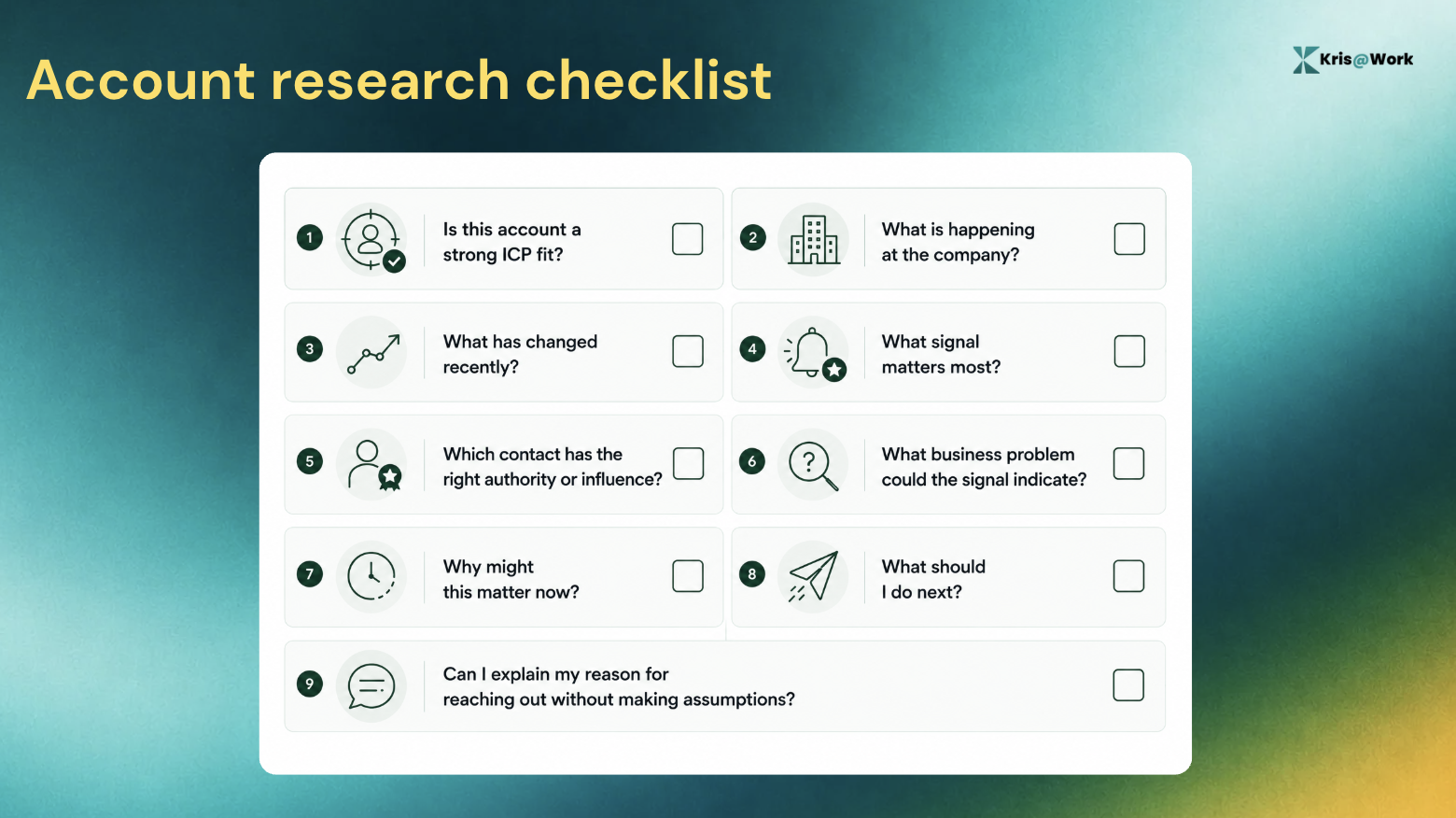
If you cannot answer those questions, keep researching. If you can answer them quickly, stop researching and start selling.
FAQs About Account Research
1. What is an account research tool?
An account research tool helps sales reps gather and interpret information about a company so they can assess account fit, identify relevant contacts, find useful signals and decide what to do next.
2. How do you research a prospect quickly?
Start with account fit, build enough company context, look for recent signals, identify the right contact, decide on a next action, and use the resulting context in your outreach.
3. What should you look for when researching a sales account?
Focus on information that could change your sales action. Useful research includes account fit, leadership changes, hiring, expansion, relevant business announcements, current priorities and contacts with authority or influence.
4. What is one-click account research?
One-click account research means starting the research process directly from the account instead of manually collecting information across multiple sources. Kris Capture includes one-click account and contact research as part of its prospecting workflow.
5. How long should account research take?
Ideally, you should be able to get it with the click of a button. Research can quickly turn into an endless rabbit hole, so what you really need is relevant information that helps you take action. The faster you can get it, the better.
6. Can an account research tool help identify the right contact?
Yes. An account research workflow can use factors such as account fit, role and authority to help narrow the contact list.
7. What is the difference between account research and prospect research?
Account research focuses on the company and what is happening inside it. Prospect research focuses on the people within that company.