

You can have a perfect ICP and still end up with a terrible prospecting list.
It happens all the time. Someone defines the ideal customer, opens a database, adds filters for industry, revenue, employee count, and location, and exports 5,000 contacts.
Technically, they match the ICP.Practically, the sales team still has no idea who to call first. Some accounts are a great fit. Some barely qualify. Some have the wrong people attached. Others looked promising three months ago but are no longer relevant. And somewhere in that spreadsheet are the 50 or 100 accounts your reps should actually be working.
That is the real job of ICP list building. You are trying to turn an ideal customer profile into a focused list of companies and people your sales team can act on.
The process is straightforward: define the account and contact criteria, find the companies that match, identify the right people, enrich the records, and prioritize the strongest opportunities.
TL;DR
- An ICP is not a lead list: Your ICP defines the ideal customer, while an ICP-matched lead list turns that definition into specific companies and contacts.
- A strong prospect list requires multiple steps: defining criteria, finding matching accounts, identifying relevant contacts, enriching records, and grading and prioritizing them.
- Separate account fit from contact fit: A great company isn't useful if you're targeting the wrong person, and the right title doesn't guarantee the company is a good fit.
- Prioritization is what makes the list actionable: Use factors like ICP fit, authority, signals, and recency to identify who reps should work first.
- Keep the list dynamic: An ICP list should evolve with new signals, changing markets, and updated sales priorities rather than becoming a one-time spreadsheet export. Kris helps centralize this workflow through ICP criteria, enrichment, lead grading, and prioritization.
What Does It Take to Build an ICP Lead List?
A useful ICP lead list has two layers:
- Account fit: Does this company match your ideal customer profile?
- Contact fit: Is this the right person at that company?
You then need enough information to decide which accounts and contacts deserve attention first. The five-step process is:
- Turn your ICP into usable company and contact criteria
- Build the account list
- Find the right contacts
- Enrich and qualify the records
- Grade and prioritize the list
You can do all five manually with a combination of databases, LinkedIn, spreadsheets, and research. The challenge is keeping the process consistent and efficient as the list grows.
1. Turn your ICP into criteria you can actually use
An ICP usually starts as a description of your ideal customer. To build a list from it, you need to turn that description into criteria you can apply consistently.
Start by separating your ICP into two groups.
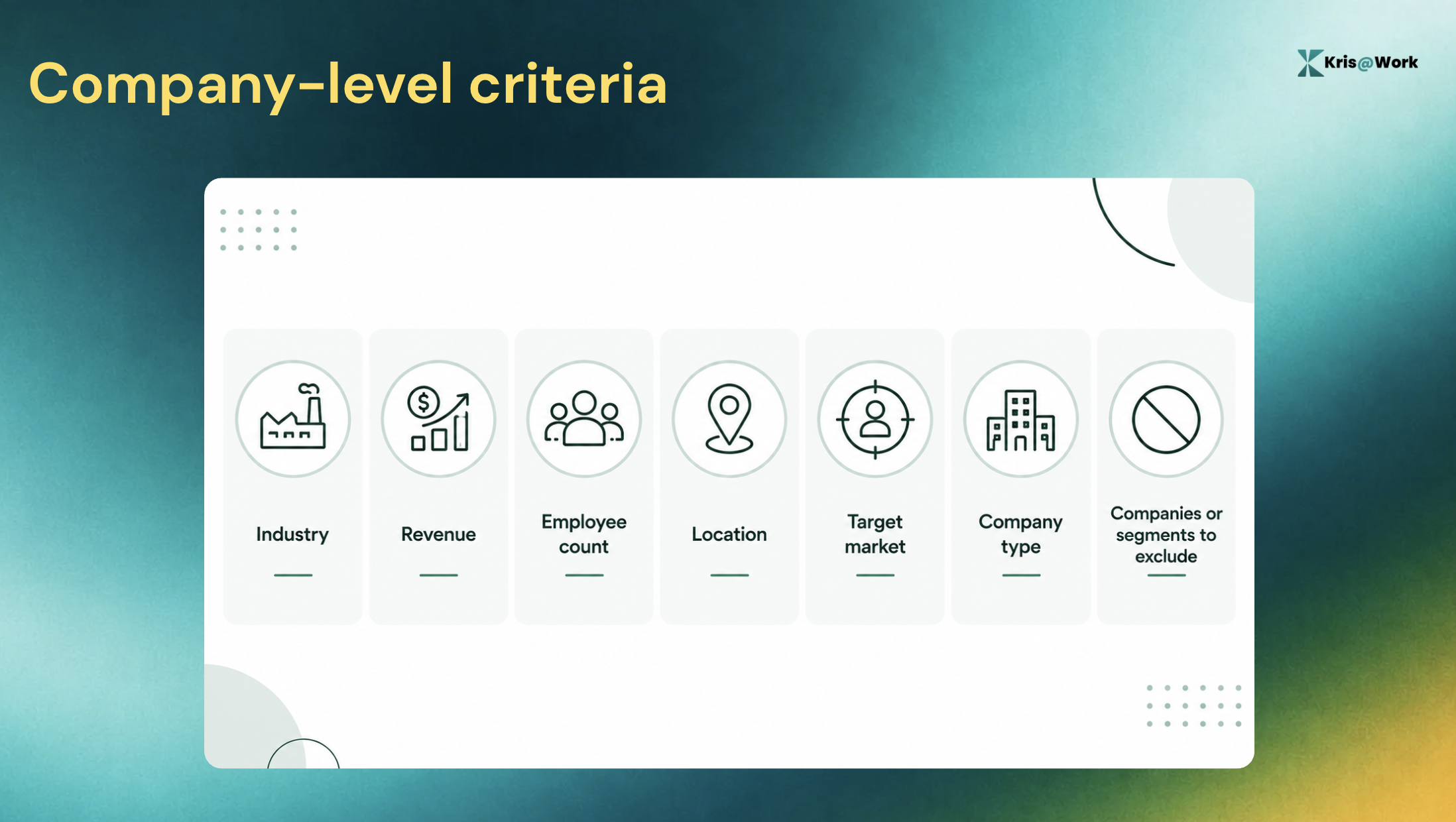
Company-level criteria
These might include:
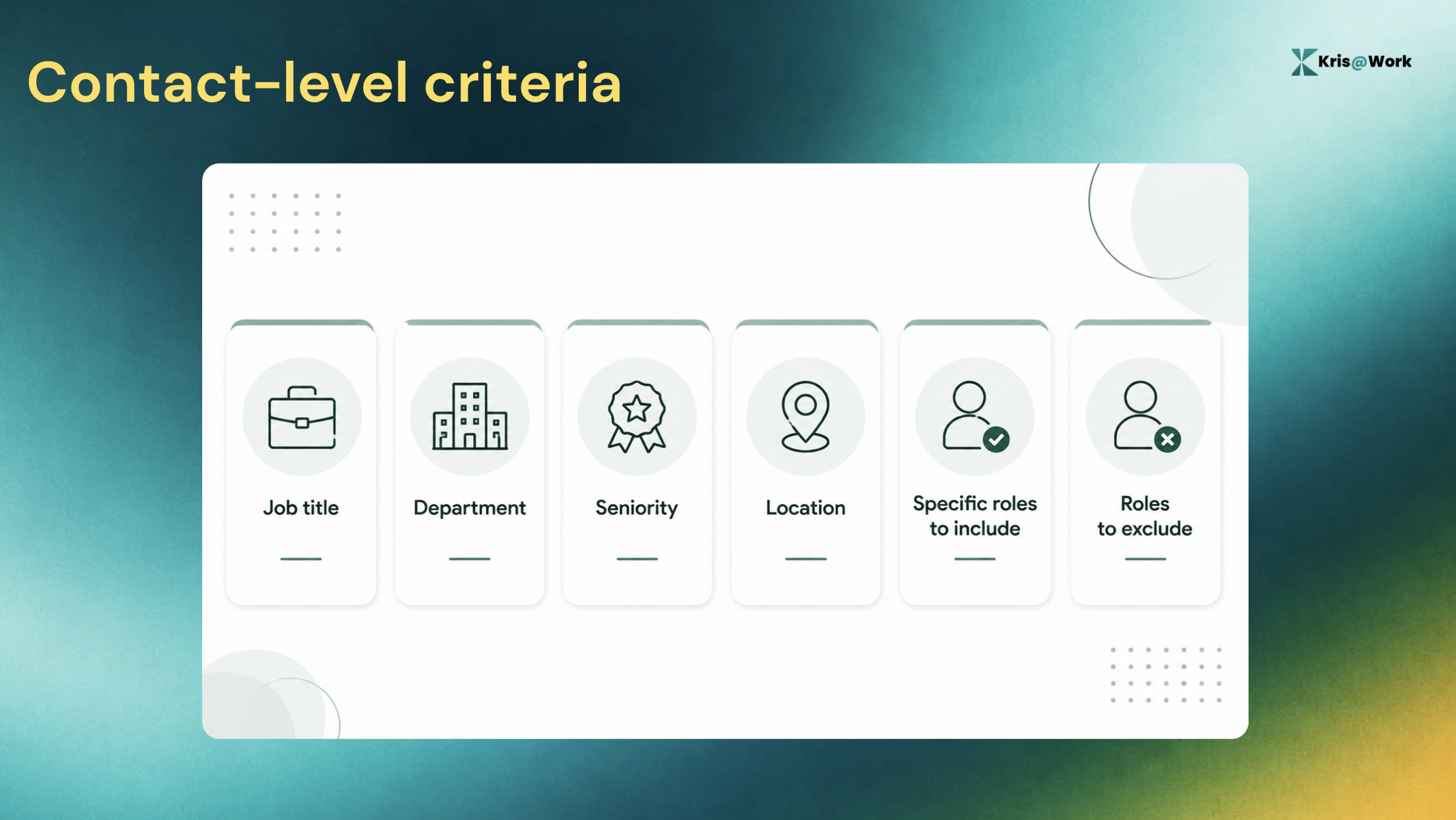
Contact-level criteria
Then define the people you want to reach:
This distinction matters because company fit and contact fit are different things.
A company can be an excellent ICP match while a particular employee there is completely irrelevant to your sale. Likewise, finding someone with the right title does not automatically mean their company is worth targeting. Your criteria needs to answer both questions.
A simple example
Imagine your ICP is:
- B2B SaaS
- 200 to 2,000 employees
- North America
- Growing sales organization
Your contact criteria might then be:
- VP Sales
- CRO
- Head of Sales Development
- Revenue Operations leadership
That is much more useful for list building than simply saying, "target growing SaaS companies." The more specific your criteria are, the easier it becomes to build a consistent list.
2. Build the account list
Once your criteria are defined, start with the companies. The basic process is:
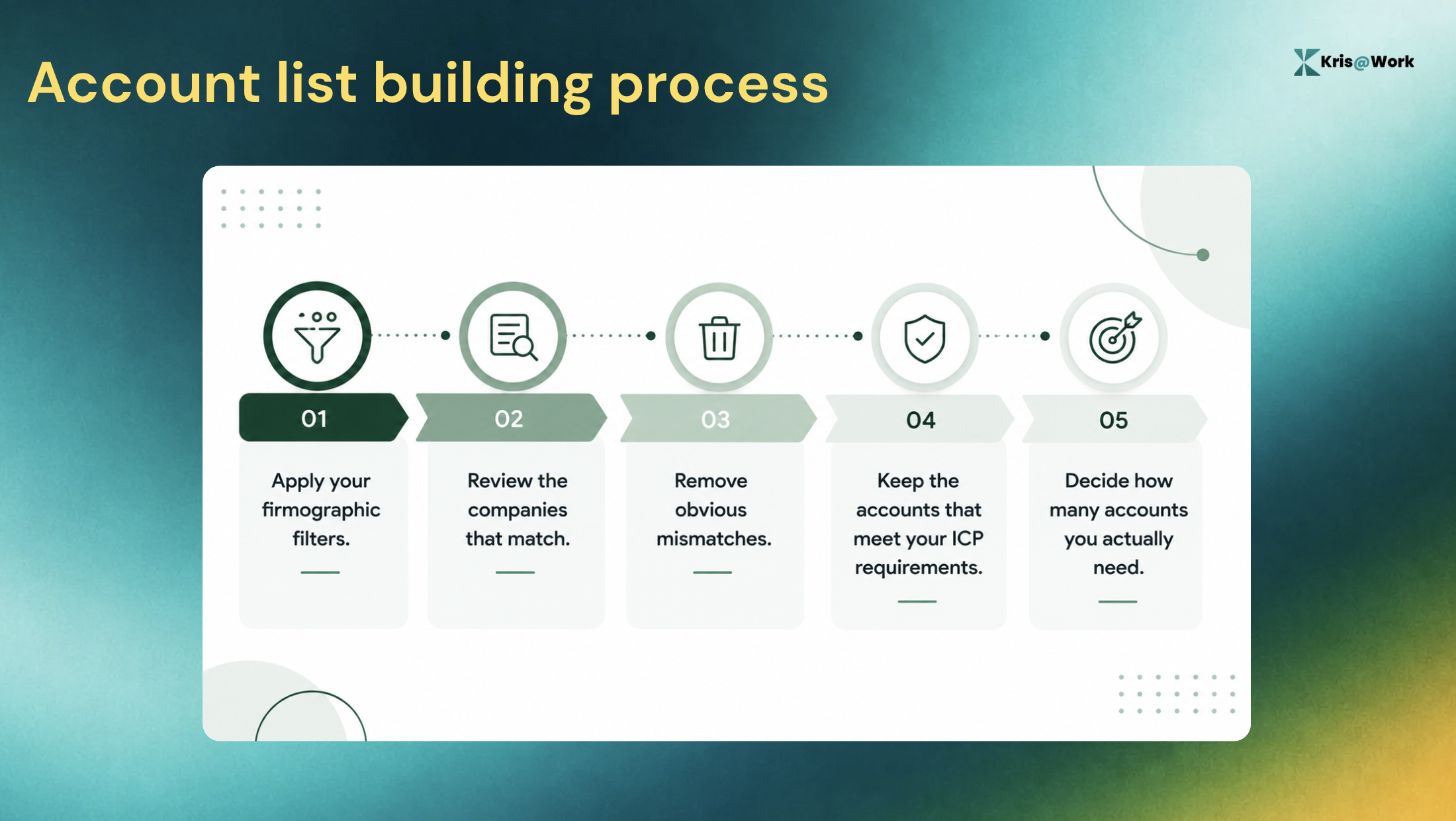
It is tempting to treat this as a volume exercise. It shouldn't be. A database might return thousands of companies that technically satisfy your filters. Your sales team probably cannot work all of them with the same level of attention. The purpose of this step is to establish your account universe, not to create an enormous spreadsheet.
Watch your exclusions
Exclusions are just as important as inclusion criteria.
For example, you may want to exclude:
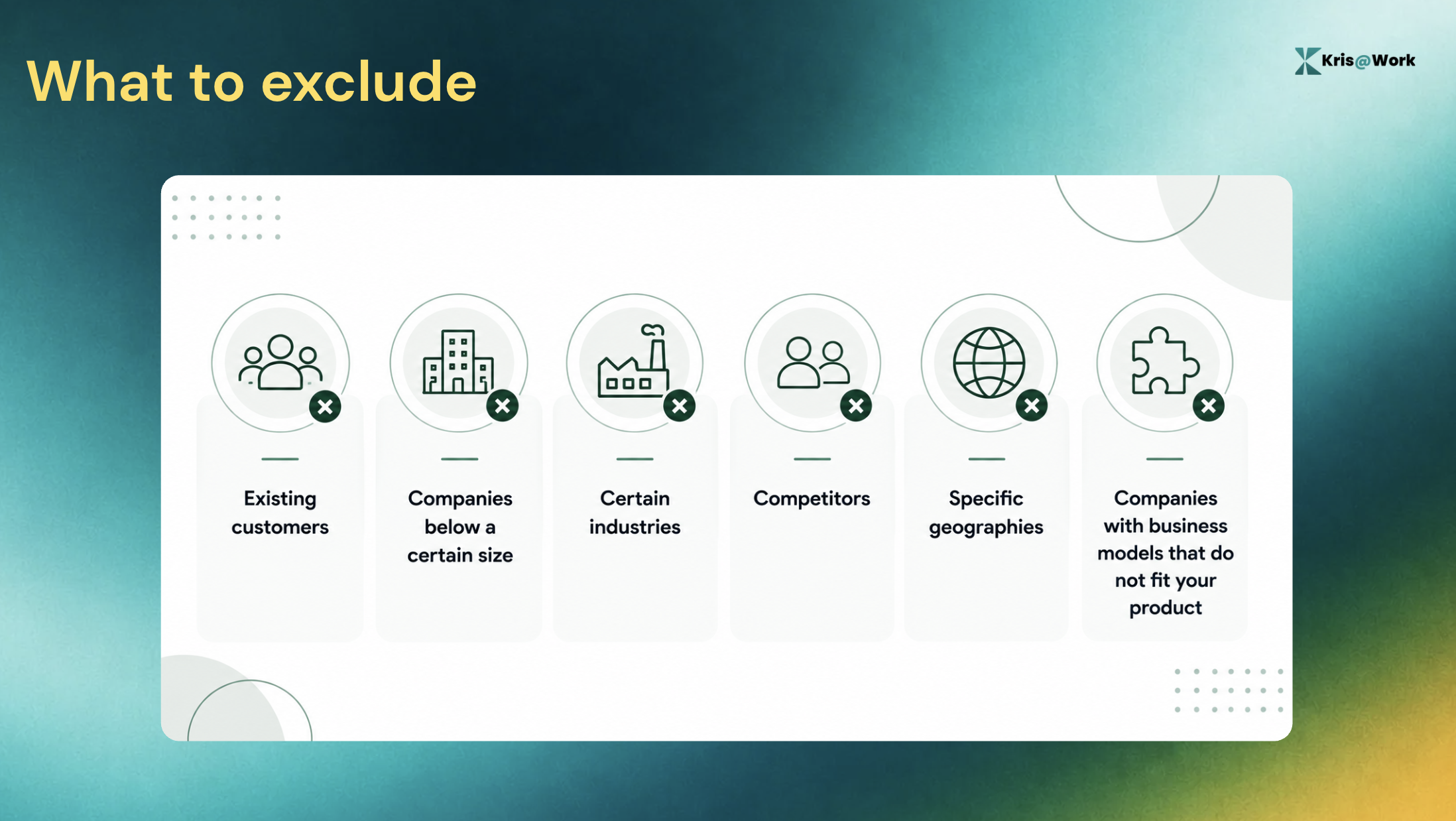
Without exclusions, even a well-defined ICP can produce a noisy list.
3. Find the right contacts inside each account
Now that you have your target accounts, identify the people who are relevant inside them. For each company, look for contacts who match your target persona based on:
- Function
- Job title
- Seniority
- Authority
- Location
- Responsibilities
This is where an account list becomes an ICP lead list. The difference is important. An account list tells your team which companies to target. An ICP lead list tells them which people at those companies are worth targeting.
Do not rely on exact job titles
Job titles vary from company to company. One organization might have a VP of Sales. Another might call the role Head of Sales. A third might use Chief Revenue Officer. If you search for only one exact title, you can miss relevant contacts. Think in terms of roles and responsibilities, not just title strings.
Consider multiple stakeholders
For larger accounts, it can also make sense to identify more than one relevant person. The person who initially engages with your outreach may not be the person who ultimately evaluates, approves, or owns the purchase.
A strong lead list gives your sales team enough information to understand the relevant stakeholders rather than forcing them to start the research from scratch later.
4. Enrich and qualify the records
A name, title, and company are enough to create a contact record. They are not necessarily enough to decide whether that contact should be prioritized. Before sending the list to sales, add the information your reps need to qualify and work the account.
That can include:
- Company information
- Contact information
- Role and seniority
- Relevant company context
- Current business signals
- Information that helps determine account relevance
This step is particularly important because a lead list can become outdated. People change jobs. Companies change direction. New executives join. New initiatives get announced. A company can still match your ICP while its priority changes significantly.
Separate fit from timing
Your ICP tells you whether an account should be relevant. Current information can help determine whether it is relevant right now. Those are different questions. A good lead list should make both easier to answer.
5. Grade and prioritize the list
At this point, you have:
- Target accounts
- Relevant contacts
- Enriched records
- Account and contact context
Now decide where your sales team should start. Without prioritization, you can end up with the same problem you were trying to solve in the first place: hundreds of names and no clear starting point.
A simple prioritization framework can look at five things.
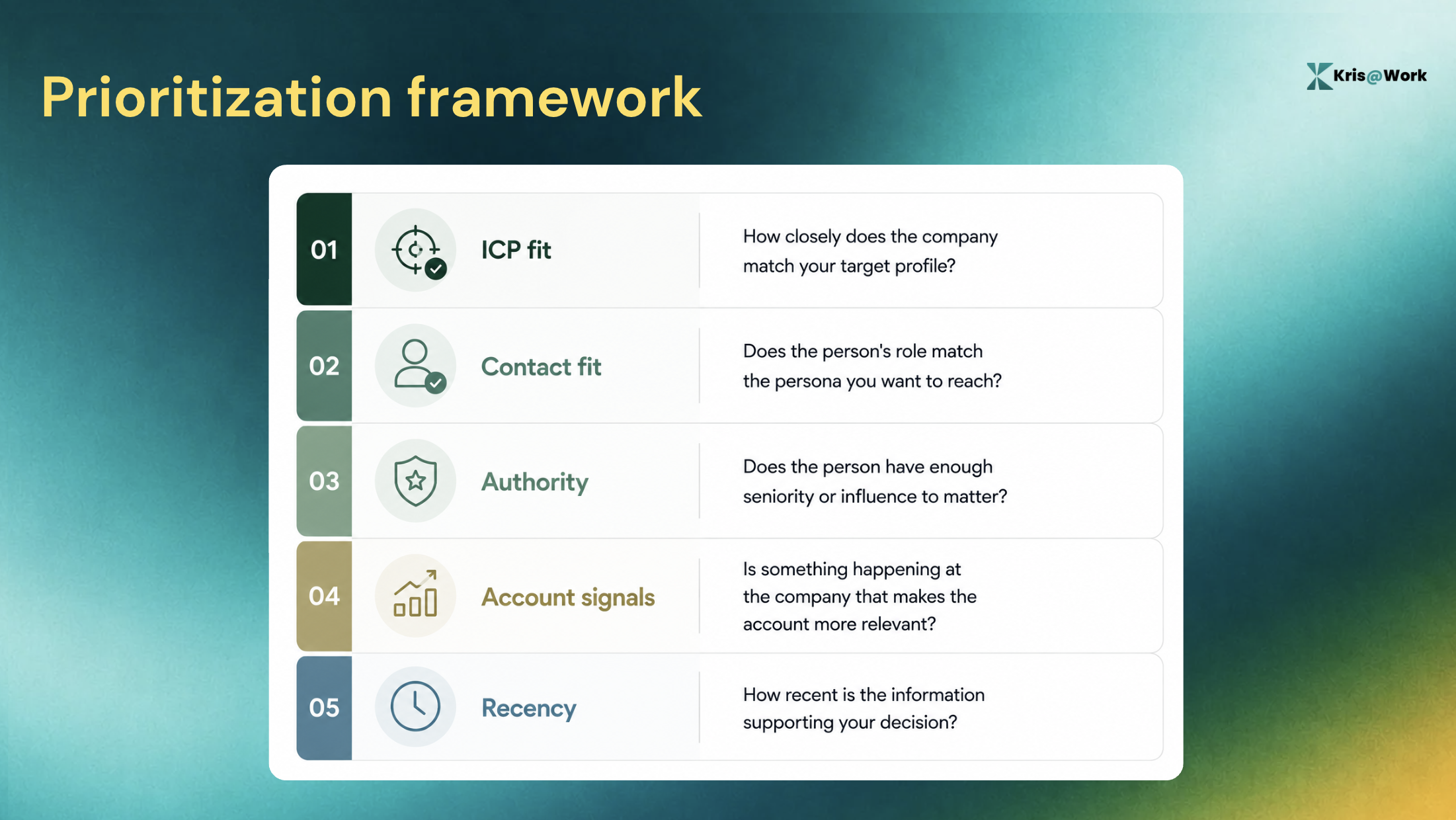
You can then divide your list into tiers.
For example:
- A / A+: Strong account and contact fit with supporting evidence
- B: Good fit but weaker evidence or authority
- C and below: Lower-priority records or insufficient fit
The exact labels are less important than having a consistent system. The objective is to make the list answer one practical question: Who should the rep work first?
How Kris@Work Helps
The process above can be done manually across several tools. Kris@Work brings more of it into one workflow.
Start with the ICP
Kris@Work lets you define account criteria such as revenue, employee count, industry, location, and exclusions, alongside contact criteria such as title, department, management level, location, and exclusions. You can also expand job titles into similar titles for the target industry.
Enrich and grade the records
Kris can enrich company and contact records, then move them through signals, grading, and the research canvas. Signals also use time decay, so older evidence carries less weight in current prioritization.
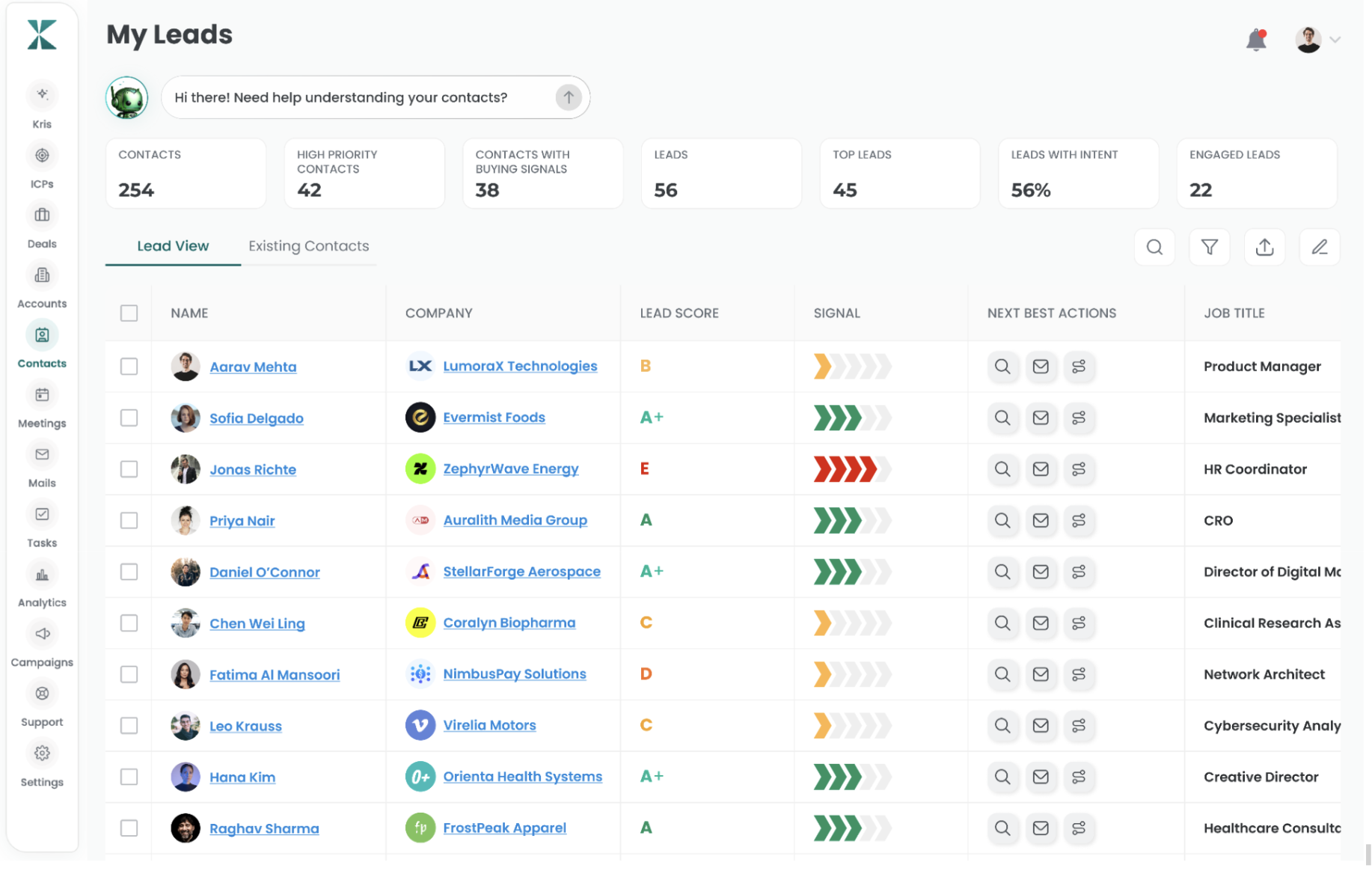
Contacts receive a lead score from A+ to F, based on factors including role fit, management level, contact signals and signals from the parent account.
Prioritize the list
Lead selection can be filtered by Lead Score, seniority, department, job title, ICP tag, and parent-account attributes such as industry, revenue, and employee count.
What Should An Ideal Customer Profile List Contain?
At a minimum, consider including:
| Field | Why it matters |
|---|---|
| Company name | Identifies the target account |
| Industry | Confirms industry fit |
| Revenue | Confirms company-size fit |
| Employee count | Adds another firmographic qualification |
| Location | Confirms geographic fit |
| Contact name | Identifies the person |
| Job title | Establishes role relevance |
| Department | Confirms functional fit |
| Seniority | Helps determine authority |
| ICP fit | Shows whether the account matches the profile |
| Lead grade | Helps prioritize contacts |
| Relevant signals | Adds current context |
How To Keep Your ICP Lead List Useful Over Time
An ICP lead list should not be treated as a one-time export.
Your target segments can change. New markets can open. Your product positioning can evolve. Different personas can become more important.
You do not necessarily need to rebuild everything from scratch.
Instead, test controlled variations:
- Create a new segment
- Change the company-size range
- Test another geography
- Expand the relevant titles
- Pull another batch
- Compare the results
Kris supports multiple ICPs, ICP cloning and additional account batches, which can make these iterations easier to manage.
The goal is not to constantly change your ICP.
It is to make your list-building process flexible enough to support changes in your sales strategy.
Build a List Your Sales Team Can Actually Work
Building an ICP is only the first part of the process.
To make it useful for sales, you need to turn that definition into specific accounts, relevant contacts, and a clear order of priority.
The process is:
1. Turn your ICP into company and contact criteria.
2. Build the account list.
3. Find the right contacts.
4. Enrich and qualify the records.
5. Grade and prioritize the list.
The best lead list is not necessarily the longest one.
FAQs About Building an ICP-Matched Lead List
1. What is an ICP lead list?
An ICP lead list is a list of companies and relevant contacts that match your ideal customer profile. It combines account-level fit with contact-level fit so sales teams can focus on the people most relevant to their target market.
2. How do I build an ICP list?
Start with your existing ICP, turn it into company and contact criteria, find matching accounts, identify relevant contacts, enrich the records and prioritize the strongest matches.
3. What should an ideal customer profile list include?
An ideal customer profile list should include company information such as industry, revenue, employee count and location, along with contact information such as name, title, department and seniority. Relevant signals and a prioritization system can make the list more actionable.
4. What is the difference between an ICP and an ICP lead list?
An ICP describes the type of company and buyer you want to sell to. An ICP lead list turns that description into specific accounts and contacts your sales team can target.
5. How does an ICP list building tool work?
An ICP list building tool converts your target criteria into account and contact requirements, finds matching records and can add enrichment and prioritization to make the resulting list easier to work.
6. Can Kris build an ICP-matched lead list?
Yes. Kris's ICP Lead Builder can use firmographic and contact criteria to pull matching companies and contacts, enrich records and apply account and contact grading.
7. Can Kris find contacts inside ICP-matched accounts?
Yes. Kris supports contact criteria such as job title, department, management level and location, and can expand job titles into similar titles for the target industry.
8. Can Kris create lookalike accounts from closed-won customers?
Not currently. Kris supports ICP cloning and title expansion, but its current ICP workflow does not support account-level lookalike modelling based on closed-won CRM accounts.
Related Blog Posts

13 Proven Ways to Find B2B Leads in 2026
28 September 2026

9 Best Sales Coaching Software Tools in 2026 (Ranked)
14 October 2026