
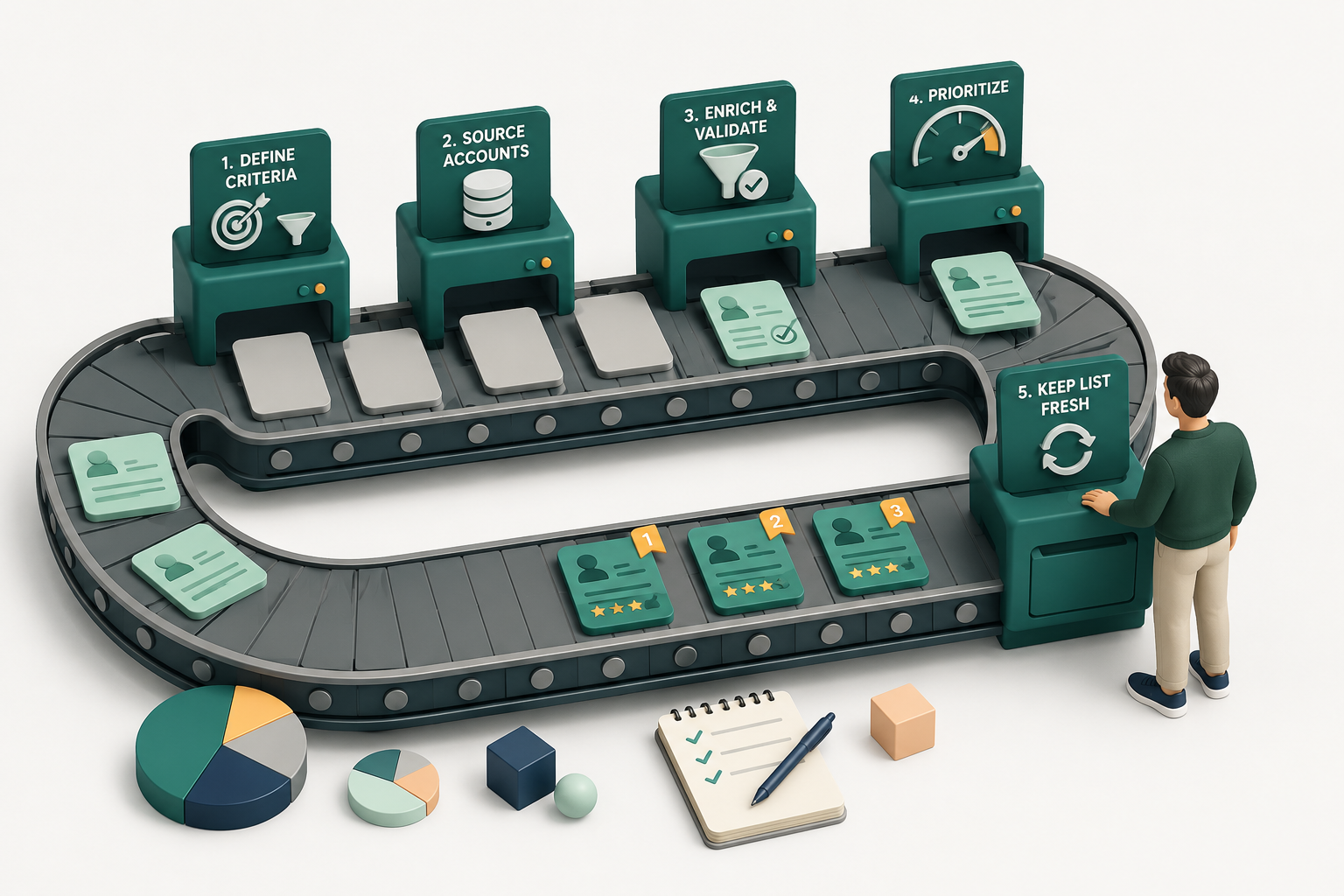
Most sales teams do not have a prospect shortage. They have a prioritization problem.
Give an SDR a list of 5,000 companies and you have not made their job easier. You have simply handed them 5,000 decisions. Which company should they research first? Who should they contact? Is this account actually a good fit? Is there any reason to reach out today rather than three months from now?
That is what a well-built Ideal Customer Profile (ICP) list solves.
An ICP list is a prioritized collection of companies and relevant buyers that match the characteristics of your ideal customer.
To build one, you need to analyze your best customers, define clear company-level criteria, add operational and technographic attributes, identify buying signals, find the right people within each account, enrich the data, and score prospects based on fit and timing.
Here is how to do it step by step.
TL;DR
- Analyze your best customers. Find the common traits of customers that buy, stay, and succeed with your product.
- Define firmographic criteria. Narrow your ICP by industry, company size, revenue, geography, and other relevant attributes.
- Add technographic and operational criteria. Look at technology usage, team structure, sales motion, and process maturity.
- Identify buying signals. Look for timely changes that make a good-fit account more relevant. Kris surfaces real-time signals across accounts and contacts.
- Find the right people. Target buyers based on authority and relevance, not just job titles. Kris grades contacts based on factors such as authority within an account.
- Build and enrich your list. Add the research and context reps need to act. Kris brings account and contact research into one intelligent window.
- Score and prioritize prospects. Rank accounts by fit, signals, and context. Kris grades accounts and contacts from A+ to F and provides a Next Best Action.
What Is an ICP List?
An ICP list is a collection of companies and relevant decision-makers that match the characteristics of your ideal customer profile.
The ideal customer profile, or ICP, describes the type of company most likely to benefit from your product, buy successfully, and remain a good customer.
The ICP list turns that definition into something your sales team can actually use: real companies and real people to contact.
A typical ICP list includes basic company details such as name, industry, employee count, annual revenue, geography, business model, and funding stage.
It can also include more specific information about the company's technology stack and sales team size, along with buyer-level details such as relevant job titles and seniority.
To help with prioritization, the list may also track buying signals, trigger events, an ICP score or grade, and a priority tier.
Consider a company selling sales software to mid-market B2B SaaS businesses. Its ICP might look like this:
B2B SaaS companies in North America with 100 to 1,000 employees, a dedicated outbound sales team, and Salesforce or HubSpot as their CRM.
That is the ICP. The ICP list is the actual collection of companies matching those conditions, along with the relevant CROs, VPs of Sales, RevOps leaders, and other potential buyers within them.
ICP vs. Buyer Persona vs. Target Account List
These terms are often used interchangeably, but they answer different questions.
| Term | What it defines | Example |
|---|---|---|
| ICP | The ideal type of company | US-based B2B SaaS companies with 100 to 1,000 employees |
| Buyer persona | The person involved in the buying decision | VP of Sales at a mid-market SaaS company |
| ICP list | Actual companies and contacts matching your criteria | 500 companies and their relevant sales leaders |
| Target account list | The accounts your team has actively chosen to pursue | The top 100 accounts prioritized for outbound |
The distinction matters because an ICP alone is not actionable. Knowing that your ideal customer is a 500-person SaaS company does not tell an SDR which companies to contact today or which person inside those companies owns the problem you solve.
An ICP list bridges that gap.
What Should an ICP List Include?
There is no universal set of fields that belongs in every ICP list. The information you need depends on what you sell, who buys it, and what makes a company a strong fit.
A cybersecurity company may care about cloud infrastructure, compliance requirements, security team size, and recent breaches. A sales technology company may care about SDR headcount, CRM usage, outbound maturity, hiring activity, and sales leadership changes.
A basic B2B ICP list might look like this:
| Field | Example |
|---|---|
| Company name | Acme SaaS |
| Industry | B2B SaaS |
| Employees | 250 |
| Geography | United States |
| Annual revenue | $25 million |
| Technology stack | Salesforce, HubSpot |
| Relevant buyer | VP of Sales |
| Buying signal | Hiring 10 SDRs |
| ICP grade | A+ |
| Priority | Tier 1 |
The most useful fields tend to fall into four categories:
- Company fit: Does the company look like your best customers?
- Operational fit: Does it have the team, processes, or technology needed to use your product?
- Buyer relevance: Have you identified someone with authority over the problem you solve?
- Timing: Is there a recent signal suggesting that the problem is important now?
A list that answers all four questions is far more useful than a spreadsheet containing names, titles, and email addresses.
How to Build an ICP List in 7 Steps
Step 1: Analyze Your Best Existing Customers
Start with the customers you would happily acquire more of.
Look at customers that:
- Generate meaningful revenue and have relatively short sales cycles.
- Retain for longer periods and expand their contracts over time.
- Require manageable support and use the product deeply.
- Achieve clear outcomes from your product.
Do not simply look at your largest customers. A high-revenue customer that took 18 months to close, constantly needs support, and is unlikely to renew may not represent your ideal customer.
Instead, look for the intersection of commercial value and customer success.
Once you have identified a group of strong customers, look for recurring patterns in their industry, company size, revenue, geography, business model, technology stack, and team maturity.
Then go deeper: What problem pushed them to look for a solution? Who championed the purchase? Which other stakeholders were involved? And was there a specific event that created urgency?
If eight of your ten best customers have dedicated outbound sales teams with more than 20 reps, that is worth investigating as an ICP criterion.
If one customer happens to have 10,000 employees while everyone else has fewer than 1,000, do not build your ICP around the exception.
The same exercise should also be performed on poor-fit customers and lost deals. Sometimes the clearest ICP criteria come from understanding who should not be on your list.
Step 2: Define Your Firmographic Criteria
Once you understand your best customers, turn those patterns into measurable company-level criteria.
Common firmographic attributes include a company's industry, employee count, annual revenue, geography, business model, funding stage, company type, and growth stage.
For example:
Our ideal customer is a B2B SaaS company in North America with 100 to 1,000 employees, $10 million to $100 million in annual revenue, and a dedicated outbound sales function.
Your criteria should remove obvious poor fits without excluding strong prospects based on arbitrary boundaries.
If your best customers typically have 200 to 800 employees, for example, a 190-person company with otherwise exceptional fit should not automatically be disqualified.
This is also the right stage to define exclusion criteria.
An account may match your preferred industry and company size but still be a poor fit because it:
- Operates in an unsupported geography.
- Does not have the necessary team structure.
- Uses an incompatible technology.
- Falls below your minimum budget threshold.
- Has a business model your product does not support.
Positive criteria tell you who belongs on the list. Exclusion criteria prevent obvious poor fits from slipping through.
Step 3: Add Technographic and Operational Criteria
Two companies can have the same industry, employee count, revenue, and location while having completely different levels of fit for your product.
That is why firmographics alone are rarely enough.
Technographic criteria look at the technologies a company already uses. Depending on your product, this might include:
- CRM
- Sales engagement platform
- Marketing automation software
- Data providers
- Cloud infrastructure
- Analytics tools
- Competitor products
- Complementary solutions
Operational criteria look at how a company works, including the size of its SDR, AE, and marketing teams, whether it runs outbound sales, and whether it has a dedicated RevOps function.
Other factors can include hiring activity, sales territories, average deal size, sales motion, and overall level of process maturity.
Imagine two 500-person SaaS companies.
Company A has 40 SDRs, a dedicated RevOps team, Salesforce, multiple data providers, and an established outbound motion.
Company B relies entirely on product-led growth, has no SDR team, and does almost no outbound prospecting.
For a product designed to help sales reps prioritize and research outbound prospects, Company A is likely to be a much stronger fit, even though both companies look identical through a basic firmographic filter.
The closer your criteria get to the actual conditions required for your product to deliver value, the more useful your ICP list becomes.
Step 4: Add Buying Signals and Trigger Events
An account can be a perfect fit and still have no reason to buy today.
This is where buying signals and trigger events matter.
Fit tells you who could buy. Signals help you identify who may have a reason to buy now.
Useful buying signals can include recent funding, a new executive hire, rapid team expansion, or active SDR and AE hiring.
Other signals might be expansion into a new geography, a product launch, or the adoption of relevant technology.
You can also look for leadership changes, public discussions about a problem your product solves, relevant social media activity, signs of dissatisfaction with an existing solution, or intent around a related category or problem.
Consider a company that perfectly matches your ICP but has shown no meaningful changes for the past year.
Now compare it with another equally strong-fit company that has just hired a new VP of Sales, posted 15 SDR openings, and announced an expansion into Europe.
The second account gives you more context for why outreach may be relevant now.
The same principle applies at the individual level. A sales leader posting publicly about declining reply rates or outbound efficiency gives a rep a more specific and timely reason to start a conversation than a generic title match.
This is the difference between saying:
"You are a VP of Sales, and we help sales teams."
And saying:
"You are scaling the SDR team while expanding into a new region. That usually creates a much harder prioritization problem across accounts and territories."
The first message is based on identity. The second is based on context.
Kris@Work helps bring this context into the prospecting workflow by surfacing real-time signals across accounts and contacts. This gives reps a way to spot relevant changes and decide which good-fit accounts deserve attention now, without manually checking multiple sources for new developments.
Step 5: Identify the Right People Within Each Account
Finding the right company is only half the job.
You also need to identify the people who care about the problem, influence the decision, control the budget, or will use the product.
Depending on the complexity of the sale, these people may include:
- Economic buyer.
- Decision-maker.
- Champion.
- Influencer.
- End user.
- Technical evaluator.
- Procurement stakeholder.
One of the most common mistakes in list building is relying on one exact job title.
Suppose you sell a product that improves outbound sales efficiency. Depending on the company, the relevant buyer might be the Chief Revenue Officer, VP of Sales, Head of Sales, Sales Director, VP of Revenue, Head of Revenue Operations, or VP of Sales Development.
The exact title matters less than the person's authority, responsibilities, and proximity to the problem.
Kris@Work adds another layer to this by grading contacts based on factors such as their authority within an account. This helps reps identify relevant decision-makers and other stakeholders instead of relying on one exact job title or a single contact.
For larger accounts, one contact may not be enough. Enterprise deals often involve multiple stakeholders, and relying on a single person creates risk. If your champion leaves, changes roles, or loses influence, the opportunity can stall.
Your ICP list should therefore answer two questions:
- Who is most likely to own the problem?
- Who else could influence the purchase?
The answer may be one person for a small business and five or more stakeholders for an enterprise account.
Step 6: Build and Enrich Your ICP List
At this point, you have defined the companies you want and the people you need to reach.
Now you can build the actual list.
A typical process looks like this:
- Apply your company-level filters and find accounts matching your ICP.
- Remove companies that match exclusion criteria and identify relevant buyers and stakeholders.
- Enrich company and contact information and verify contact details.
- Add relevant buying signals.
- Remove duplicates and outdated records.
- Add a fit score or grade and assign a priority tier.
The final list should contain enough information for a rep to understand not just who the prospect is, but why the prospect belongs on the list.
That distinction is important.
A spreadsheet containing a name, company, title, and email address still leaves the rep with several unanswered questions.
They need to understand why the account is a good fit, why the person is relevant, what has changed recently, which account deserves attention first, and what to say when reaching out.
Without that context, the research burden simply moves from the person building the list to the rep doing the outreach.
This is where traditional prospecting often becomes fragmented. Reps move between the CRM, LinkedIn, company websites, news sources, data providers, intent tools, spreadsheets, and sequencing platforms just to understand a single account.
The problem is not necessarily a lack of data. It is that the data is scattered across too many places.
This is where Kris@Work can reduce some of the manual work involved in turning a basic prospect list into something reps can actually use. It brings account and contact research into one intelligent window, so reps do not have to piece together context across multiple tools and tabs before deciding whether a prospect deserves attention.
The result is not just a list of names and contact details. Reps get the research and context needed to understand why an account matters before they reach out.
Step 7: Score and Prioritize Your ICP List
Not every company that matches your ICP deserves the same level of attention.
A company may have perfect firmographic fit but no recent buying signal. Another may be slightly outside your preferred employee range but has just hired a new CRO, doubled its SDR team, and started evaluating solutions in your category.
A simple scoring framework helps you compare those accounts consistently.
| Criteria | Example weight |
|---|---|
| Industry match | 20 points |
| Ideal employee count | 15 points |
| Ideal revenue range | 10 points |
| Relevant technology | 10 points |
| Decision-maker identified | 15 points |
| Strong buying signal | 20 points |
| Recent trigger event | 10 points |
You can then divide accounts into tiers such as:
- Tier 1: High fit with strong buying signals
These accounts closely match your ICP and have recent evidence of potential need or urgency. They deserve deeper research and highly personalized outreach.
- Tier 2: High fit with limited buying signals
These companies are strong potential customers, but there is little evidence of immediate urgency. They may need lighter-touch outreach or ongoing monitoring.
- Tier 3: Moderate fit or long-term opportunity
These accounts meet some criteria but are less likely to become immediate opportunities. They may belong in nurture campaigns rather than high-effort outbound.
Kris@Work applies this same principle by grading accounts and contacts from A+ to F based on factors such as fit and authority. Real-time signals add another layer of context, helping reps understand which prospects deserve attention now rather than treating every ICP-matched account equally.
Each graded contact comes with the reason behind the grade and a Next Best Action, so reps can understand not only who to prioritize, but what to do next.
A Practical Example of Building an ICP List
Consider a fictional company selling an AI prospecting platform.
Its broad market might be: B2B companies with sales teams.
That is far too broad to guide outbound.
The company looks at its best customers and notices several patterns. Most are B2B SaaS companies with dedicated outbound teams, between 100 and 1,000 employees, and established CRM systems.
The ICP becomes: B2B SaaS companies in North America with 100 to 1,000 employees.
Next, operational criteria are added: The company must have a dedicated outbound sales function, at least 10 SDRs or AEs, and use Salesforce or HubSpot.
Then come the buying signals: Priority increases if the company is hiring SDRs, has recently appointed a new VP of Sales, is expanding into a new market, or is publicly discussing outbound efficiency.
Finally, the relevant buyers are defined: CRO, VP of Sales, Head of Sales, VP of Sales Development, and senior RevOps leaders.
The result is no longer a generic database export. It is a structured prospect list where every account has a reason to be there.
A Tier 1 account might look like this:
| Field | Example |
|---|---|
| Company | Acme SaaS |
| Employees | 500 |
| Industry | B2B SaaS |
| CRM | Salesforce |
| Sales team | 45 reps |
| Buyer | VP of Sales |
| Trigger event | New VP hired 30 days ago |
| Additional signal | 12 open SDR roles |
| ICP grade | A+ |
| Priority | Tier 1 |
Now the SDR does not have to start the day by asking, "Who should I contact?"
The answer is already much clearer.
Common Mistakes to Avoid When Building an ICP List
Even a detailed list can fail if the underlying logic is weak.
Starting with a database instead of customer evidence
Filters should come after analysis. If you decide that your ideal customer has 100 to 500 employees simply because those are convenient filter options, you are guessing.
Start with the customers who actually succeed with your product.
Making the ICP too broad
"Technology companies with more than 50 employees" may technically describe your market, but it does little to help a rep prioritize.
The broader the ICP, the more decision-making you push back onto the sales team.
Making the ICP too narrow
The opposite problem is creating dozens of mandatory conditions until almost no company qualifies.
Use hard exclusions only when they genuinely determine product fit. Treat softer preferences as scoring factors rather than absolute rules.
Using only firmographic data
Industry, geography, employee count, and revenue are useful starting points. They rarely tell the full story.
Operational maturity, technology usage, team structure, buyer authority, and recent signals often reveal far more about whether an account deserves attention.
Confusing fit with intent
A perfect-fit company is not necessarily ready to buy. A buying signal is not proof of purchase intent either. It is context that can make one account more timely or relevant than another.
Treat signals as prioritization inputs, not guarantees.
Targeting only one exact job title
Job titles vary significantly between companies. Searching only for "VP of Sales" may cause you to miss a Head of Sales or Chief Revenue Officer who owns the same problem.
Target responsibilities and buying roles, not just exact strings.
Treating every matching account equally
If 1,000 companies match your ICP, asking reps to work all 1,000 in the same way defeats the point of prioritization.
Use fit, buyer authority, signals, and recency to determine where effort should go first.
Building the list once and never updating it
Companies hire, raise funding, change technologies, enter new markets, and replace leaders. People change jobs. Contact information goes stale. Yesterday's strong signal becomes irrelevant.
An ICP list is a living sales asset, not a one-time spreadsheet export.
How Often Should You Update Your ICP List?
Your ICP definition and your prospect list should not follow the same update schedule.
It should change when new evidence suggests that your ideal customer has changed.
Review it when:
- Your product changes significantly.
- You enter a new market.
- A new segment starts converting consistently.
- Win-loss patterns change.
- Retention data reveals better or worse customer fits.
- Your pricing or sales motion changes.
The actual prospect list needs more frequent attention because its underlying data changes constantly.
People leave companies. New executives join. Teams expand. Funding happens. Technology stacks change. New intent and buying signals appear.
The closer your prioritization depends on timing, the more important freshness becomes.
A six-month-old company-size filter may still be useful. A six-month-old signal about a new VP joining probably is not.
ICP List Building Checklist
Before handing an ICP list to your sales team, check whether you have:
- Analyzed your best existing customers.
- Reviewed poor-fit customers and lost deals.
- Defined firmographic criteria.
- Added technographic and operational criteria.
- Created clear exclusion rules.
- Identified relevant buying signals.
- Mapped buying roles and possible job-title variations.
- Found matching companies.
- Enriched account and contact information.
- Verified contact details.
- Added fit scores or grades.
- Prioritized prospects into tiers.
- Made the reason behind each priority understandable.
- Established a process for refreshing data and signals.
If the list cannot tell a rep why one prospect deserves attention before another, the prioritization layer is still missing.
To Sum It Up…
A good ICP list does more than tell your sales team who exists. It tells them which companies fit, which people matter, and which prospects have a reason to hear from you now.
That distinction matters.
A large database gives reps more names. A strong ICP list gives them fewer decisions.
The best ICP lists combine three things: company fit, buyer relevance, and timing. Get those right, and the question changes from "Who should we contact?" to "What is the best action to take with this prospect today?"
That is a much better starting point for outbound.
FAQs About Building an ICP List
1. What is an ICP list?
An ICP list is a collection of real companies and relevant decision-makers that match your ideal customer profile. It typically combines company fit, operational characteristics, buyer relevance, contact information, buying signals, and priority scores to help sales teams focus on the prospects most likely to be worth pursuing.
2. How do you build an ICP list from scratch?
Start by analyzing your best existing customers and identifying their shared characteristics. Define firmographic, technographic, and operational criteria, add exclusion rules, identify relevant buying signals, find the right decision-makers within matching accounts, enrich the data, and score each prospect based on fit and timing.
3. What information should an ICP list include?
An ICP list can include company name, industry, employee count, revenue, geography, technology stack, team size, relevant contacts, job titles, contact information, buying signals, trigger events, ICP scores, and priority tiers. The exact fields should reflect the characteristics that genuinely determine whether a prospect is a good fit for your product.
4. How many companies should be on an ICP list?
There is no ideal number. The right list size depends on your total addressable market, sales capacity, average contract value, outreach strategy, and the level of personalization required. A highly targeted enterprise sales team may work a few dozen strategic accounts, while a high-velocity sales motion may need thousands.
5. What is the difference between an ICP list and a lead list?
An ICP list is built around explicit criteria that determine customer fit and priority. A generic lead list may simply contain contact information for people or companies in a broad market. An ICP list explains why a prospect belongs on the list and, ideally, why they deserve attention now.
6. How do you prioritize accounts in an ICP list?
Prioritize accounts using a combination of company fit, operational fit, buyer authority, buying signals, trigger events, and recency. High-fit accounts with strong, recent signals should generally receive more attention than equally strong accounts with no indication of current need.
7. How often should you update an ICP list?
Review your overall ICP definition when your product, market, customer patterns, or sales motion changes. Refresh the actual prospect list more frequently because contacts, company data, technologies, leadership, and buying signals can change quickly.