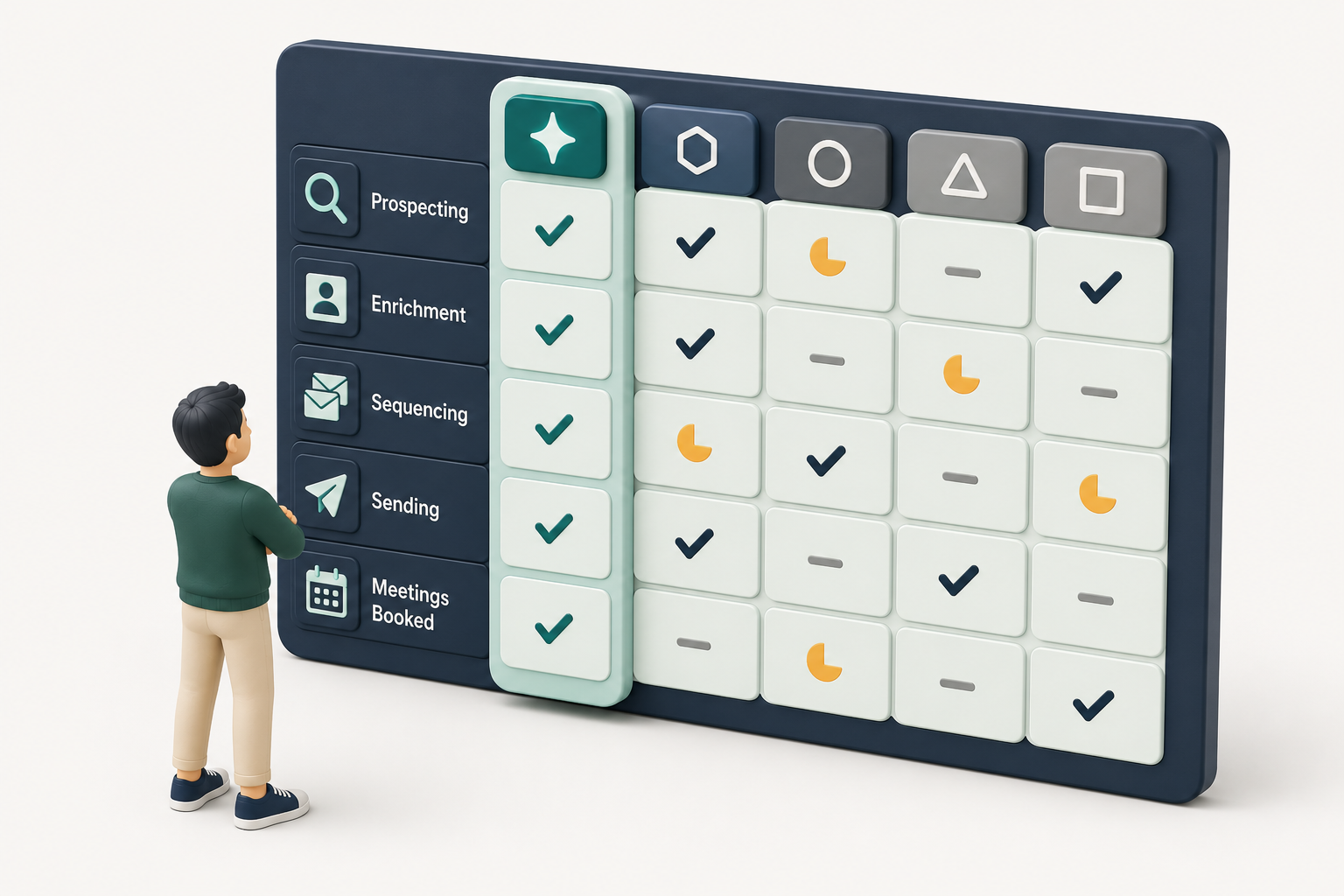
In the Kris vs Salesforce decision, the split is clear. Kris is the zero-touch AI CRM that maintains its own records, so reps never type into it and the system of record is never out of date. Salesforce is the configurable incumbent: a bigger app ecosystem and a longer enterprise track record, with far more to configure and maintain. Kris is built for mid-market and enterprise revenue teams that want a system of record they can trust without the upkeep. Pick Kris if you want a self-maintaining record, fast time to value, and AI that does the work. Pick Salesforce if your priority is its app marketplace and you have the admin capacity to build and run a heavily configured org.
TL;DR
Kris is a zero-touch AI CRM that maintains its own records, so reps never type into it and the system of record is never out of date. Salesforce is the configurable incumbent: a bigger app ecosystem and a decades-long enterprise track record, with more to configure and maintain.
- Kris wins on data upkeep, time to value (weeks, not a months-long project), AI-native execution, and total cost of ownership. Salesforce's license is the entry point, not the total: add implementation at 1.5x to 3x the annual license, a dedicated admin at 70,000 to 120,000 USD per year, plus add-ons and support.
- Salesforce wins on AppExchange ecosystem breadth and a decades-long enterprise track record.
- Choose Kris if you want a self-maintaining record, fast setup, and low admin.
- Choose Salesforce if you need its app marketplace and have the admin capacity to run a heavily configured org.
When to Consider a Salesforce Alternative Like Kris
This salesforce vs Kris comparison is for teams already on a legacy CRM, or about to sign for one, who are weighing configuration and upkeep against an AI-native system of record that maintains itself. You are probably at a decision point if:
- Reps spend more time updating the CRM than selling, so the data is stale before anyone forecasts on it.
- The Salesforce bill keeps climbing after go-live, between admin salary, add-ons, storage, and support tiers.
- You want AI that executes the work, not a copilot bolted onto a system someone still has to feed.
Kris vs Salesforce At a Glance
Each row maps to a section below, so you can jump to the detail behind any line
| Axis | Kris | Salesforce |
|---|---|---|
| System of record upkeep | Self-maintaining. Logs activity, advances stages, and enriches records automatically. | Manual or rep-dependent entry, plus automations you build and maintain. |
| Time to value | Fast. Designed to run with minimal configuration. | 6 to 12 weeks for a simple single-cloud rollout, 3 to 9 months for multi-cloud. |
| AI model | AI-native. Execution built into the core. | Einstein layer added across existing clouds. |
| Who runs it | Built to run without a dedicated admin. | Typically needs a dedicated admin at 70,000 to 120,000 USD per year. |
| Total cost of ownership | Predictable. | License plus implementation at 1.5x to 3x annual license, plus add-ons and admin. |
| Ecosystem and app marketplace | Focused, newer. | AppExchange, large partner network. |
| Deep customisation | Opinionated, less configurable. | Near-unlimited configuration and custom development. |
| Proven at very large scale | New AI CRM. | Decades of enterprise deployments. |
1. System of Record: It Maintains Itself
Kris logs activity, advances stages, and enriches titles, firmographics, and contacts on its own, so the record reflects reality right now, with a full audit trail behind every change. That removes the single biggest reason CRM data goes stale: humans forgetting to update it.
There are two kinds of data decay, and Kris solves both:
● Pipeline decay. When a rep does not update a deal, the stage, the champion, and the next step go stale, and the forecast quietly drifts from reality. Kris advances stages and logs activity as the work happens, so pipeline state stays current without anyone touching it.
● Contact and account decay. People change roles and leave. A director who moved on six months ago still sits in most CRMs as an active contact. Kris re-enriches records automatically, so your data reflects who is actually there today.
In contrast, Salesforce keeps records current only to the extent your reps type into it, or you build and maintain the automations that do. The platform is powerful, but the upkeep is yours.
2. Time to Value: Weeks of Your Team, Not Months of a Project
Kris is built to run with minimal configuration, so the path from signed contract to working system is short. The whole revenue org, SDR to CRO, works from one engine, with nothing else to buy and nobody else to hire.
In contrast, a Salesforce rollout is a project. Industry cost guides in 2026 put a simple single-cloud implementation at 6 to 12 weeks, and multi-cloud or integration-heavy work at 3 to 9 months. Portfolio rollouts run 9 to 18 months. That timeline is before adoption, which is where many deployments stall.
3. AI Model: Native Execution, Not a Bolt-On Layer
Kris was built AI-first. It surfaces the accounts most likely to convert, drafts the outreach across email, LinkedIn, call, and SMS, preps the call, and explains deal health and forecasts in plain language rather than dashboards. The AI does the work, not just the suggesting, and it is included in the product.
In contrast, Salesforce delivers AI through Einstein, a capable layer added across Sales Cloud, Service Cloud, and the rest.Two things are worth knowing; first, it sits on top of a system a person still has to keep fed and configured, so the manual base underneath does not go away and second, the AI is a paid add-on, not part of the seat: standalone Einstein licences run about 50 to 75 USD per user per month on top of your base edition, and Agentforce is billed by usage on top of that. With Kris, AI-native execution is the product, not a line item you add later.
4. Who Runs It: No Dedicated Admin Required
Kris is built to run without a dedicated administrator. Because the system maintains its own records and ships with opinionated defaults, there is no full-time role whose job is to keep the CRM configured, cleaned, and current. Your revenue team owns the outcomes, not the upkeep.
In contrast, a production Salesforce org is rarely a set-and-forget purchase. 2026 cost guides put a dedicated Salesforce admin at 70,000 to 120,000 USD per year, and larger or more customised orgs often need more than one, plus developer time for anything bespoke. That salary sits outside the license, and it recurs every year for as long as you run the platform.
5. Adoption: Nothing to Type Into Means Nothing to Skip
The most common cause of a failed CRM is low adoption. If updating the system is a chore, reps skip it, and the data decays. Because Kris is designed so reps never type into it, there is far less for anyone to skip, and the record stays trustworthy for forecasting.
In contrast, Salesforce adoption depends on change management, training, and habit. Public 2026 cost breakdowns list structured training at roughly 3,000 to 20,000 USD and repeatedly name low user adoption as a primary reason technically successful go-lives still fail to deliver.
6. Total Cost of Ownership: License Is Only the Entry Point
Smart buyers compare total cost of ownership and return on investment, not the sticker price of a license. This is the ground where the maths matters most.
Salesforce's license is the entry point, not the total. Public 2026 pricing puts Sales Cloud at 25 USD per user per month for Starter, 100 for Pro, 175 for Enterprise, and 350 for Unlimited, with the Agentforce 1 Sales tier at 550. On top of the license, 2026 cost guides consistently report implementation at 1.5x to 3x the annual license, a dedicated admin at 70,000 to 120,000 USD per year, AI add-ons (Einstein from about 50 to 75 USD per user per month, Agentforce billed by usage), sandboxes, storage overages, and a support tier that can run 30 percent of license cost. Multiple guides note that 60 to 70 percent of implementations exceed their initial budget.
Kris reframes this around a predictable cost and a self-maintaining record, so the ongoing admin, AI add-on, and data-upkeep lines that inflate Salesforce total cost of ownership are largely removed.
7. Configuration: Opinionated Defaults, Enterprise Depth on Request
Kris is configured to how your revenue team actually works, and we build additional depth for enterprise requirements as they come up. The design choice is deliberate: opinionated defaults out of the box are what keep upkeep low and time to value short, so you are not handed a blank platform to assemble before it delivers value.
In contrast, Salesforce is highly configurable, and that flexibility is real. The trade-off is that the configuration, and its ongoing maintenance, is yours to own. Deep custom builds need admins, developers, and testing, and every customisation is one more thing to maintain through each release. If your priority is near-infinite in-house configuration and you have the team to run it, Salesforce has the longer head start.
Where Salesforce Leads
Honest comparisons are what rank and convert, so here is where Salesforce is the stronger choice today:
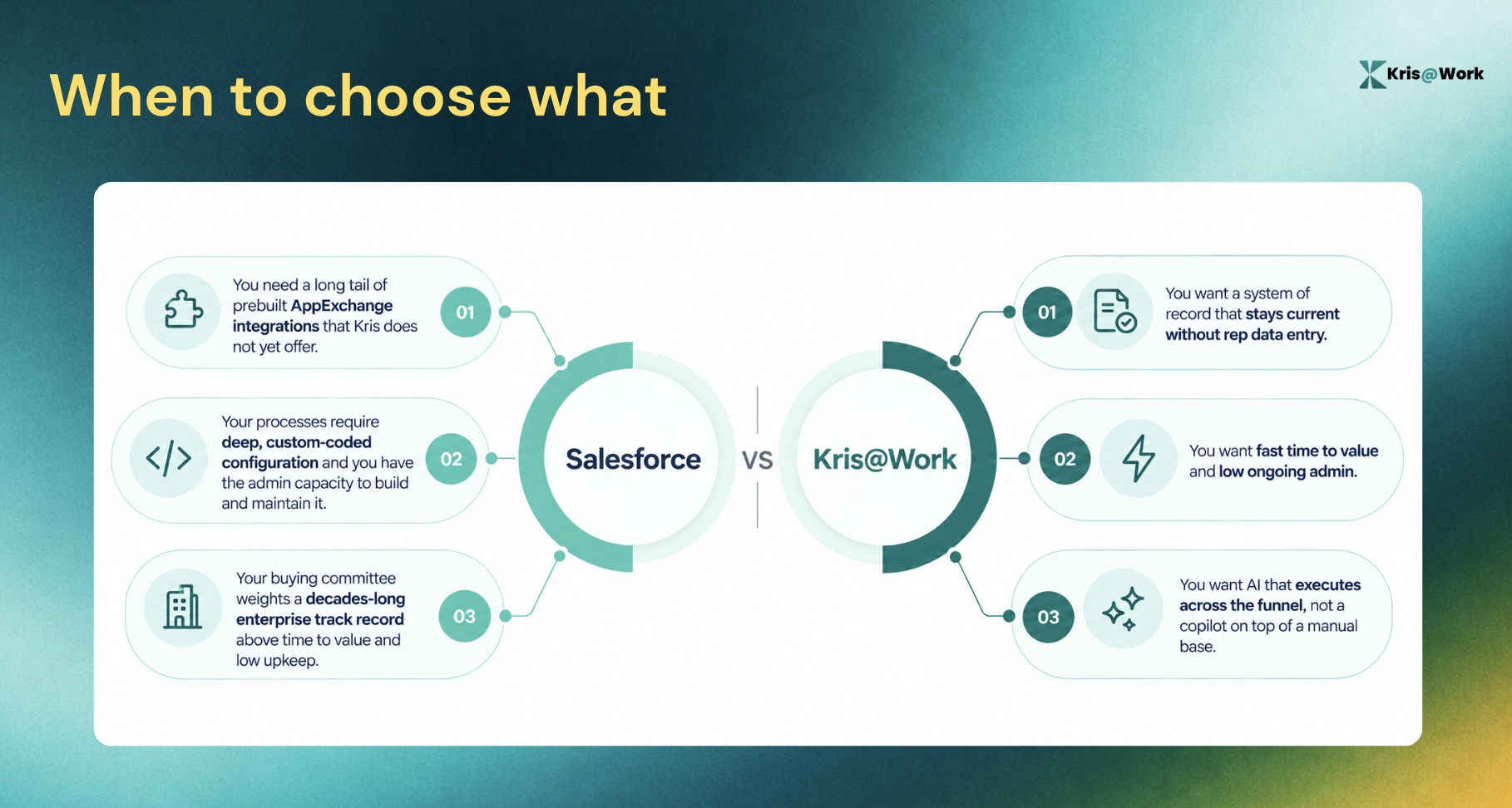
● Ecosystem and app marketplace: AppExchange and Salesforce's partner network are unmatched in breadth. If your stack depends on a long tail of prebuilt integrations, Salesforce has them today. Kris is newer and more focused, and integrates with the core of your stack.
● Proven at very large scale: Salesforce has decades of deployments across the largest and most regulated organisations. Kris is a newer, AI-native CRM built for mid-market and enterprise, and we build depth for enterprise requirements as they come up.
If a vast prebuilt integration marketplace is your top priority, Salesforce is the safer pick. We would rather you make the right call than the flattering one.
5. Total Cost of Ownership: License is Only the Entry Point
Smart buyers compare total cost of ownership and return on investment, not the sticker price of a license. This is the ground where maths matters most.
Salesforce's license is the entry point, not the total. Public 2026 pricing puts Sales Cloud at 25 USD per user per month for Starter, 100 for Pro, 175 for Enterprise, and 350 for Unlimited, with the Agentforce 1 Sales tier at 550. On top of the license, 2026 cost guides consistently report implementation at 1.5x to 3x the annual license, a dedicated admin at 70,000 to 120,000 USD per year, plus add-ons, sandboxes, storage overages, and a support tier that can run 30 percent of license cost. Multiple guides note that 60 to 70 percent of implementations exceed their initial budget.
Kris reframes this around a predictable cost and a self-maintaining record, so the ongoing admin and data-upkeep line that inflates Salesforce total cost of ownership is largely removed.
Choose Kris if
- Your forecast is only as good as your data, and you want a system of record that stays current on its own, without chasing reps to update it.
- You want to be live in weeks and running qualified pipeline, not managing a multi-quarter implementation.
- You want AI that does the work end to end, finding the accounts, drafting the outreach, prepping the call, and explaining the forecast, instead of a copilot bolted onto manual data entry.
- You want predictable cost, without a dedicated admin, AI add-ons, and storage overages inflating the bill after go-live.
FAQs about Kris vs. Salesforce
1. Why do companies choose Kris over Salesforce?
Companies choose Kris when the cost of keeping Salesforce current, in rep time, admin salary, and stale-data risk, outweighs the value of Salesforce's customisation. Kris maintains its own records and runs with minimal configuration, so teams get a trustworthy system of record without the ongoing upkeep.
2. What makes Kris and Salesforce different?
The core difference is upkeep and AI model. Kris is AI-native and self-maintaining: it logs activity, advances stages, and enriches records automatically. Salesforce is a configurable platform with an Einstein AI layer added on top, kept current by the automations you build and the data your team enters.
3. Can Kris handle customisation and custom configuration?
Yes. Kris is configured to your process, and we build additional depth for enterprise requirements. The difference from Salesforce is philosophy, not a missing feature: Kris ships with opinionated defaults that keep upkeep low, rather than handing you a blank platform to build and maintain. Teams that want near-infinite in-house configuration, and have the admin capacity for it, may still prefer Salesforce.
4. Is Kris a real Salesforce alternative for enterprises?
Yes. Kris is built for mid-market and enterprise revenue teams that want a system of record that maintains itself and AI that executes across the funnel. That said, if you need a vast prebuilt integration marketplace, or your processes are already deeply built out in Salesforce and you have the team to maintain them, Salesforce can still be the safer choice. For most teams weighing upkeep against configuration, Kris is the more modern fit.
5. Does Kris offer a free trial or demo?
Yes, click on “Schedule a Demo” on the website. It also offers a free version.
6. How much does Salesforce actually cost per user?
Salesforce Sales Cloud lists at 25 USD per user per month for Starter, 100 for Pro, 175 for Enterprise, and 350 for Unlimited, with Agentforce 1 Sales at 550, before implementation, add-ons, and admin. Total cost of ownership over three years typically runs well above the license alone.
Ready to Try Kris?
Kris keeps your system of record current on its own, gets you live in weeks instead of a quarter-long project, and puts AI to work executing the funnel. If a self-maintaining CRM beats a configurable one for your team, see it in action.
More CRM comparisons